☀️ Summer Tour Operations
Core workflows for DCI summer tour.

Point of Sale
Built for event rushes
Select your current event type to see only the workflows and guidelines that apply to you today.
Core workflows for DCI summer tour.
Guidelines and workflows for Fall marching events.
Start a new transaction and securely process Cash, Credit Card, or Combo payments.
Tips and tricks for finding items quickly in the POS when categories are confusing.
How to use the discount dropdown to apply staff percentages or custom amounts based on the season.
Pre-payment only
Cancel and reset an order before payment is processed. Once paid, use Processing a Refund instead.
Needs supervisor support
Step-by-step process for locating a past transaction and issuing a full or partial refund.
Needs supervisor support
How to process an even exchange for a different size without impacting daily reporting.
Start a new transaction and securely process Cash, Credit Card, or Combo payments.
Tips and tricks for finding items quickly in the POS when categories are confusing.
How to use the discount dropdown to apply staff percentages or custom amounts based on the season.
Same physical item, different SKU. Know when to use the event bin and how to find the event-specific SKU in Clover.
Pre-payment only
Cancel and reset an order before payment is processed. Once paid, use Processing a Refund instead.
Needs supervisor support
Step-by-step process for locating a past transaction and issuing a full or partial refund.
Needs supervisor support
How to process an even exchange for a different size without impacting daily reporting.
All associates
Anything that leaves the booth goes through the register. Ring damaged, display, or remake items at 100% comp so Crown Admin can restock accurately.
Reference
Short reminders for shift start: log sellouts as they happen, hotspot hygiene, search shortcuts, and where to find how-to resources.
Start a new transaction and securely process Cash, Credit Card, or Combo payments.
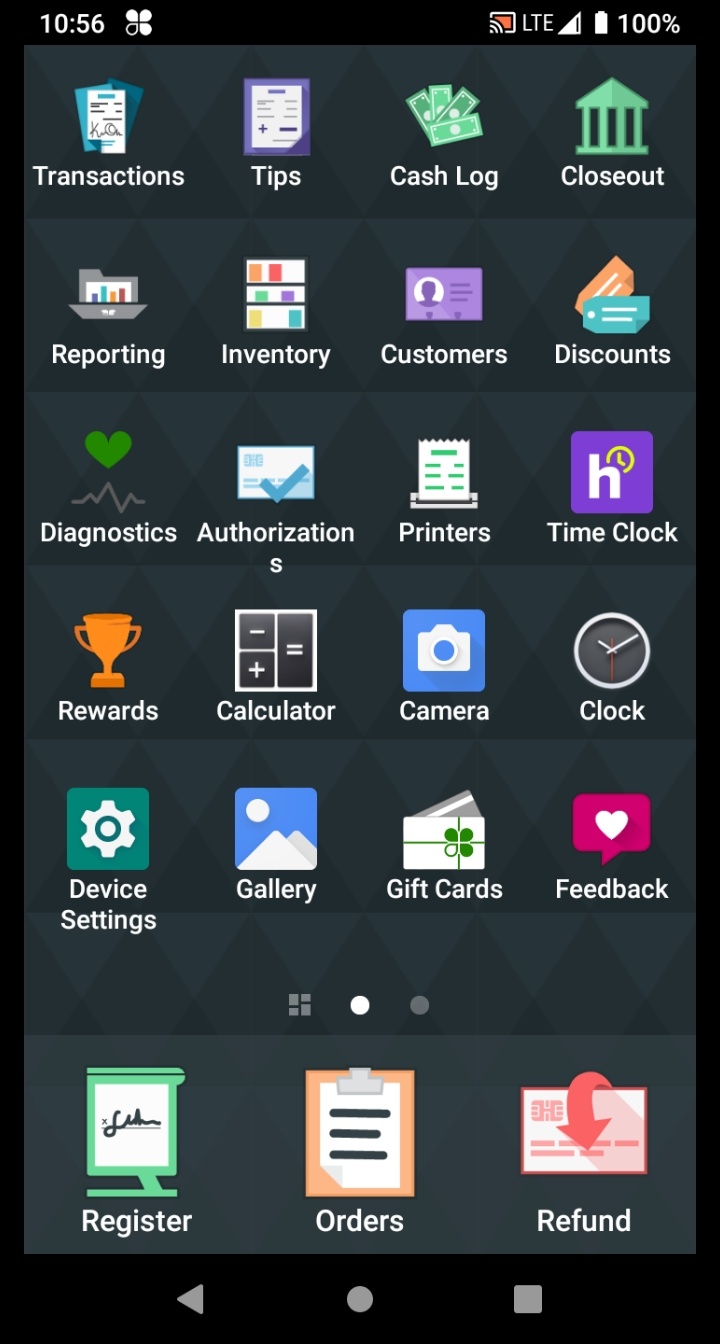
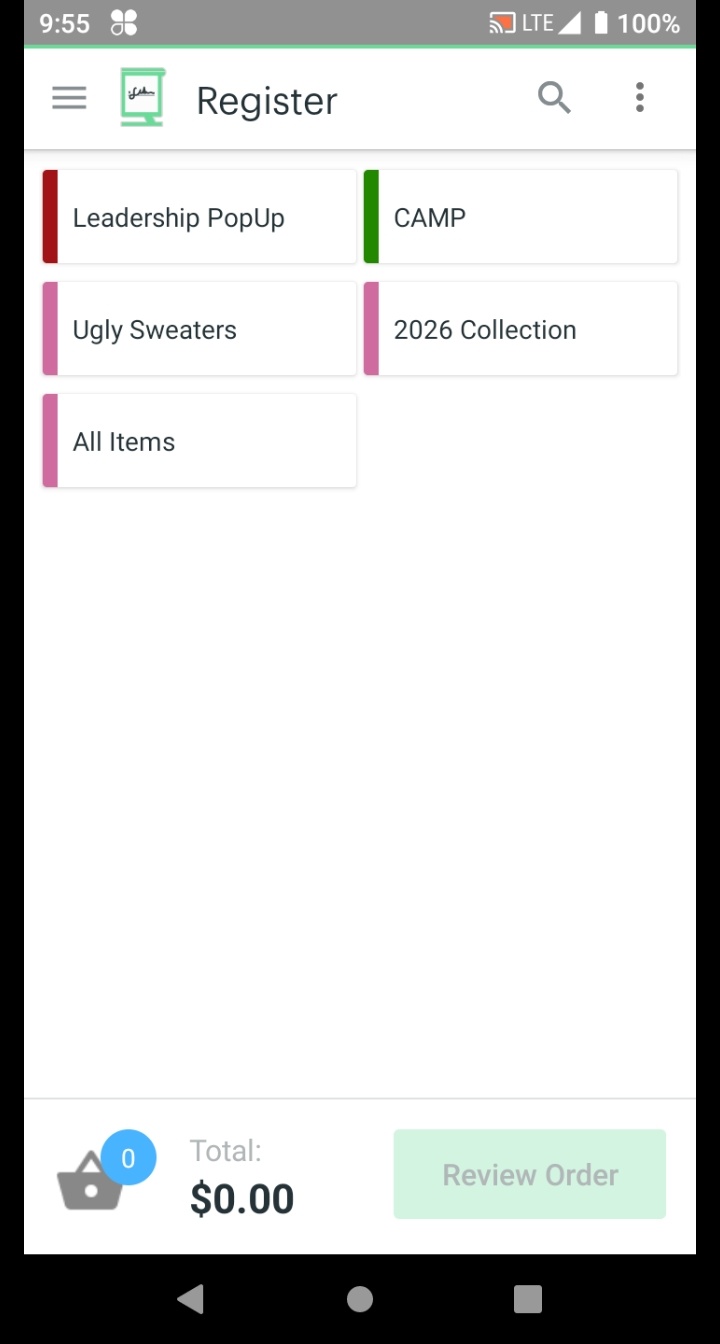
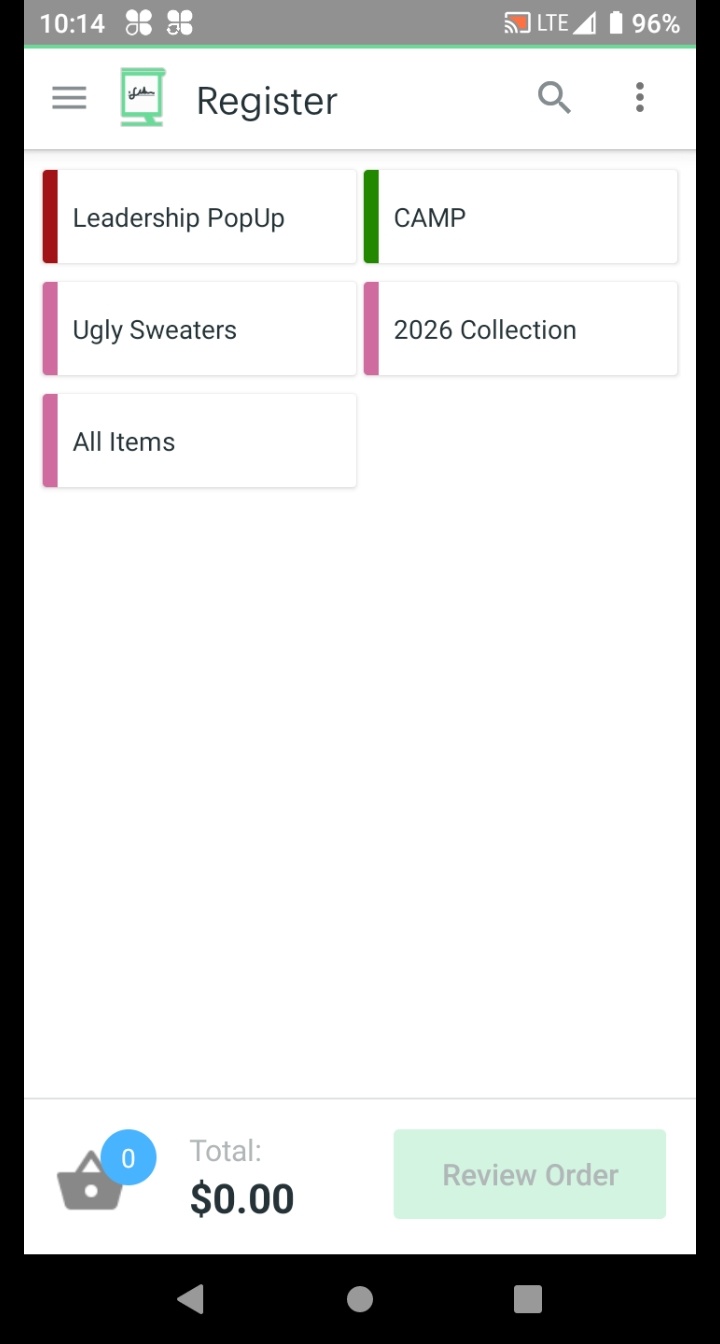
Tap Register on the Home screen to begin a new transaction.
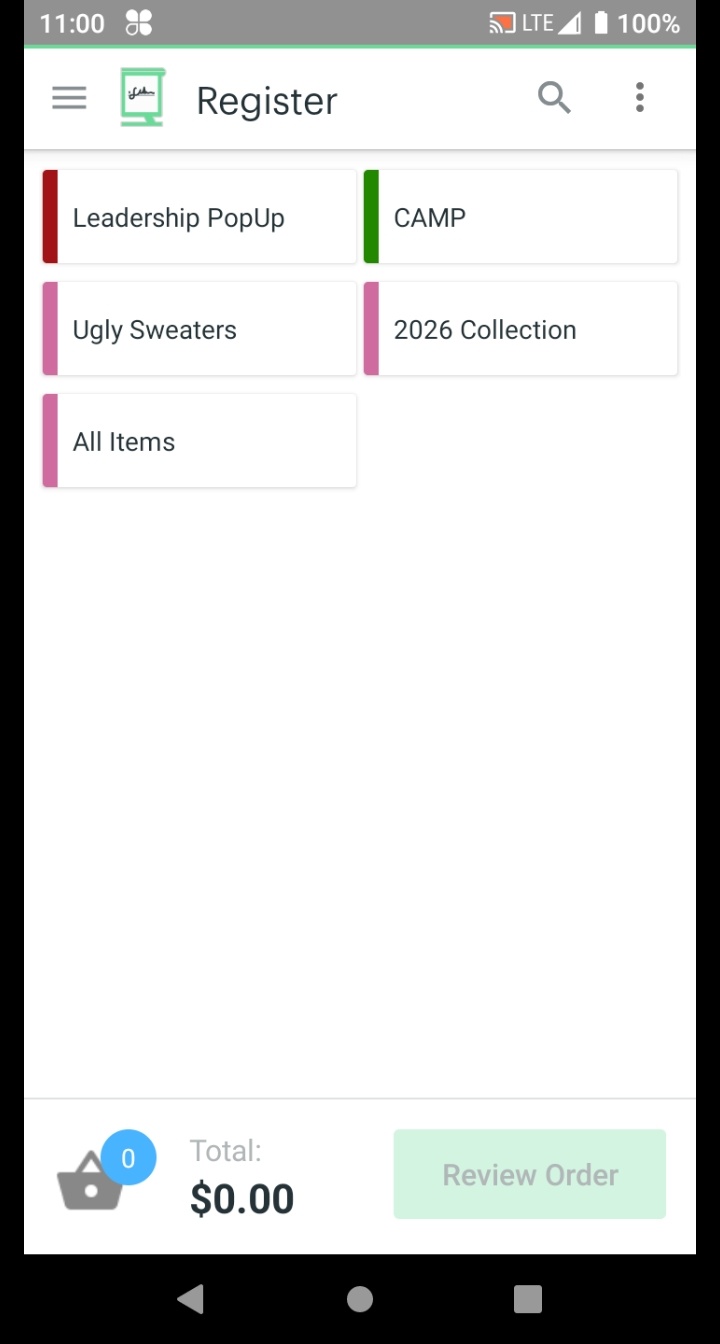
Tap the category that matches your product.
Category names and organization change each season — your screen may look different from the screenshot below. If the right category isn't obvious, check with Crown Admin.
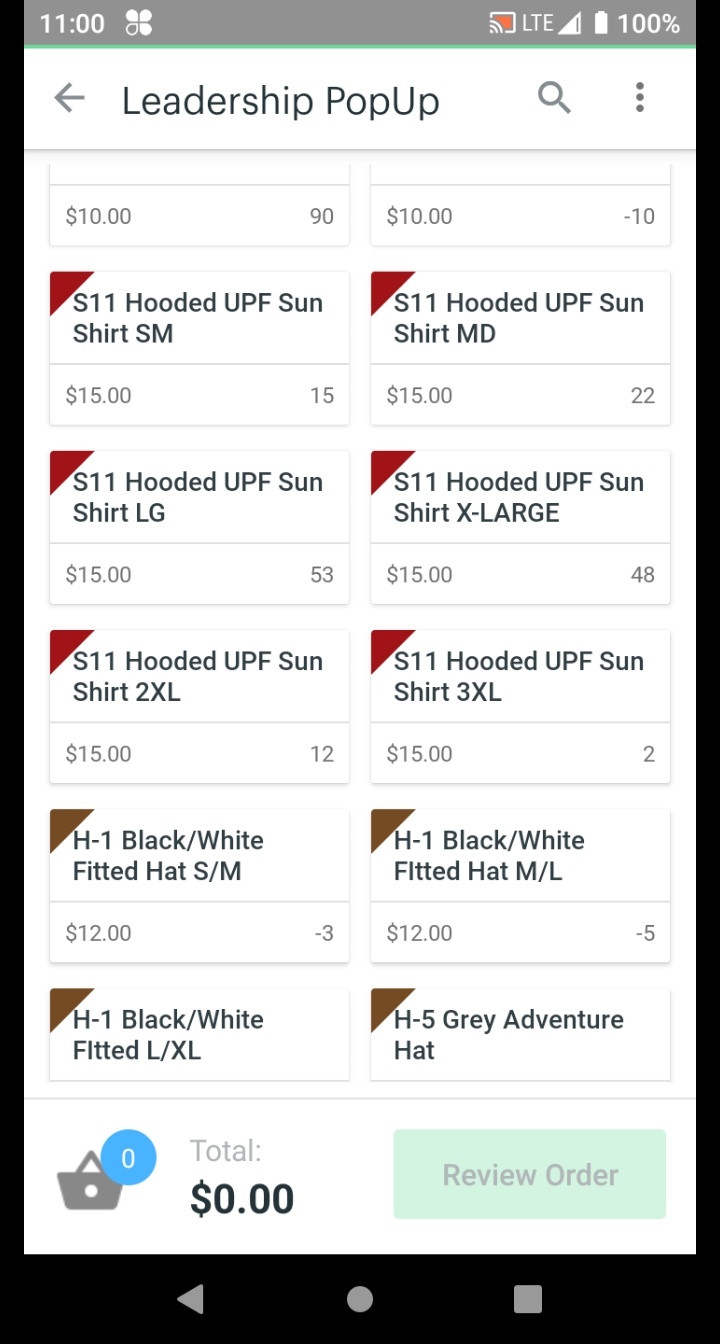
If Clover shows a second tier of subcategories, tap through to find the right product type — then tap the item and size.
Crown Admin may organize items into a collection or group before showing the item list. This is normal — just keep tapping until you reach individual items.
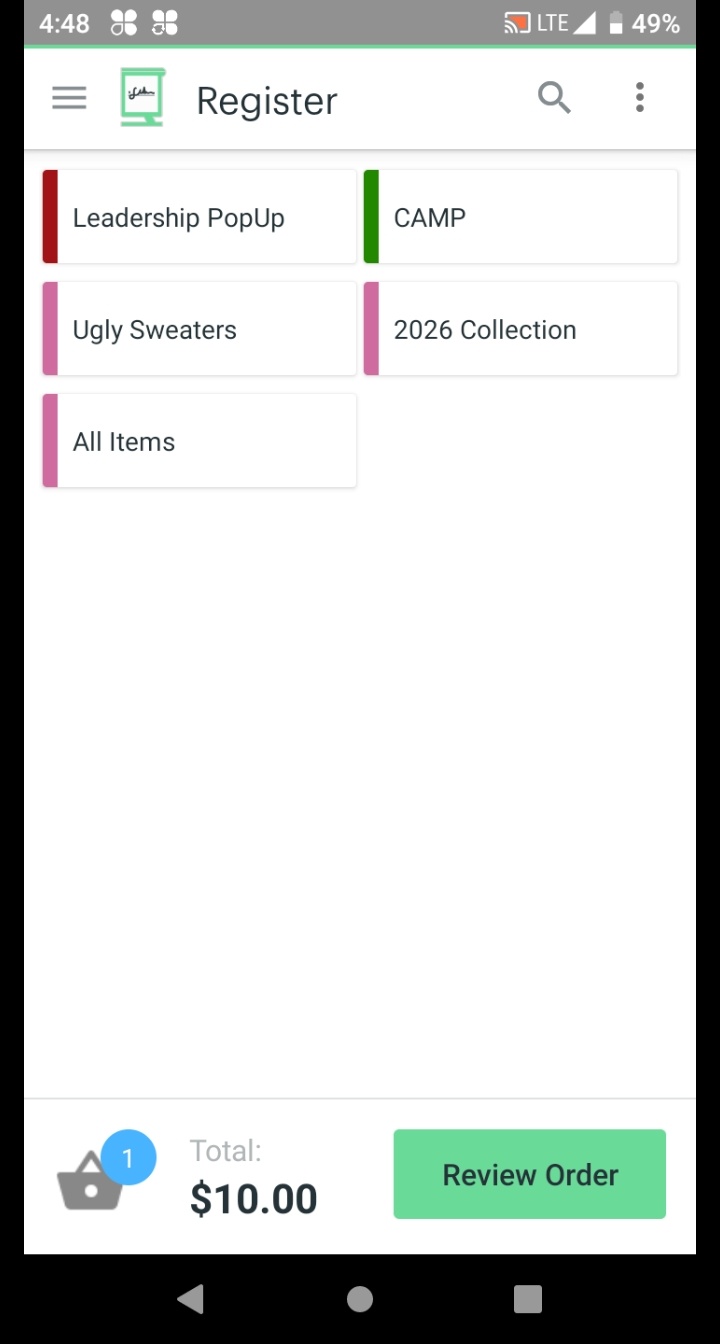
Confirm the Register screen returns with an updated total and item count in the cart.
Repeat Steps 2–4 for each additional item. When all items are in the cart, continue.
If this customer qualifies for a discount, apply it now — before tapping Review Order.
If no discount applies, continue to Step 6.
Tap Review Order, confirm the order with the customer, then tap Pay.
Discounts can also be applied from this screen if not done in Step 5.
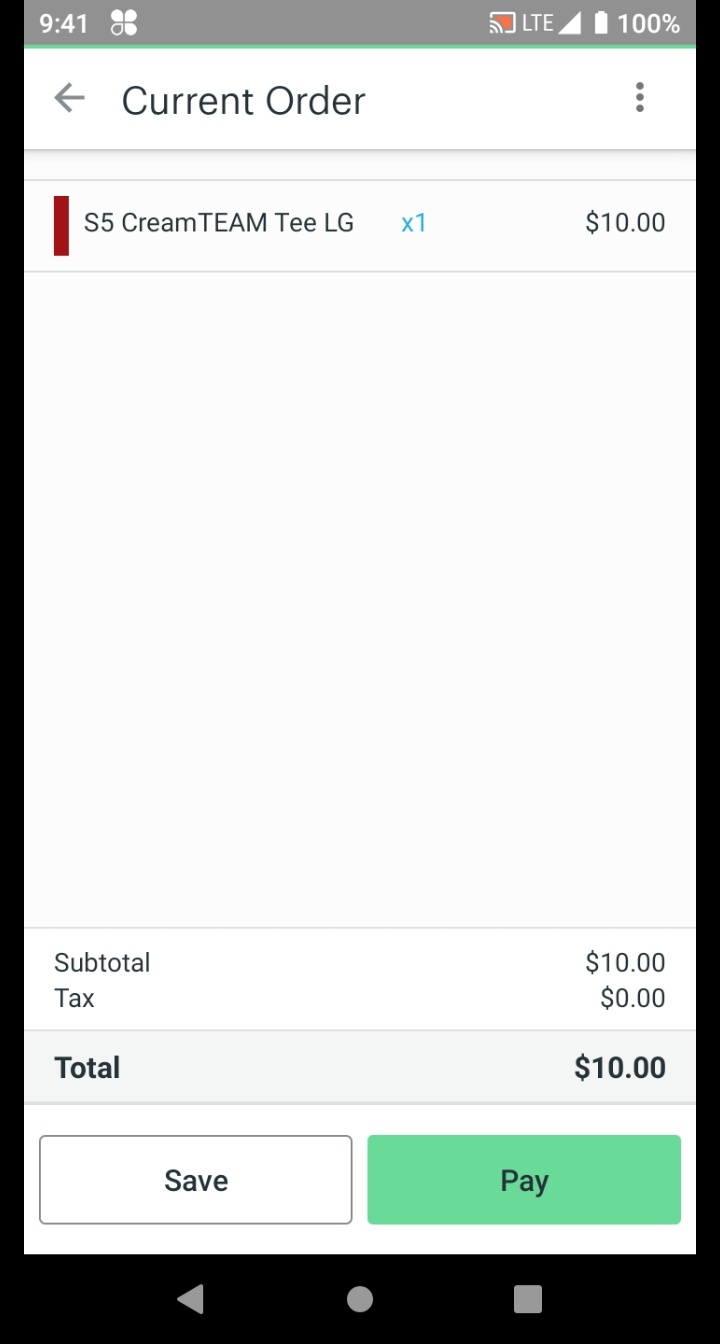
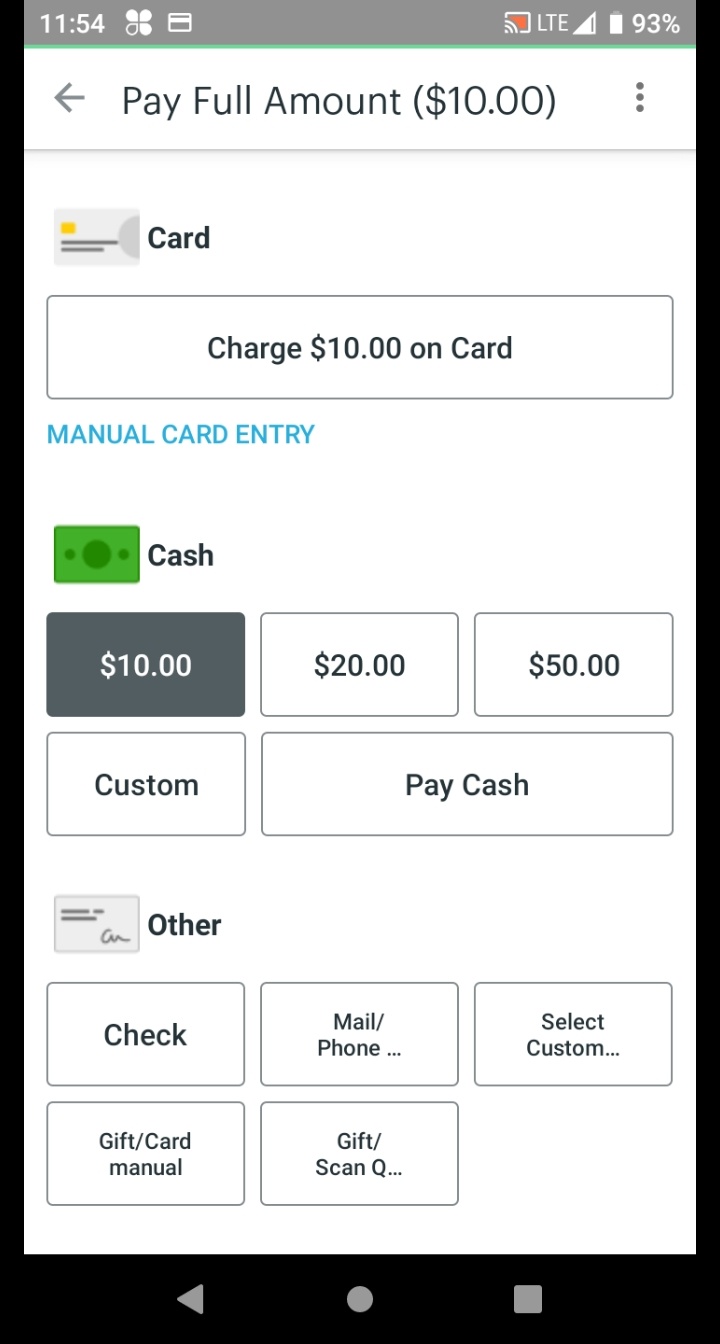
How is the customer paying?
Tap the cash amount received (exact change, preset bill, or custom), then tap Pay Cash.
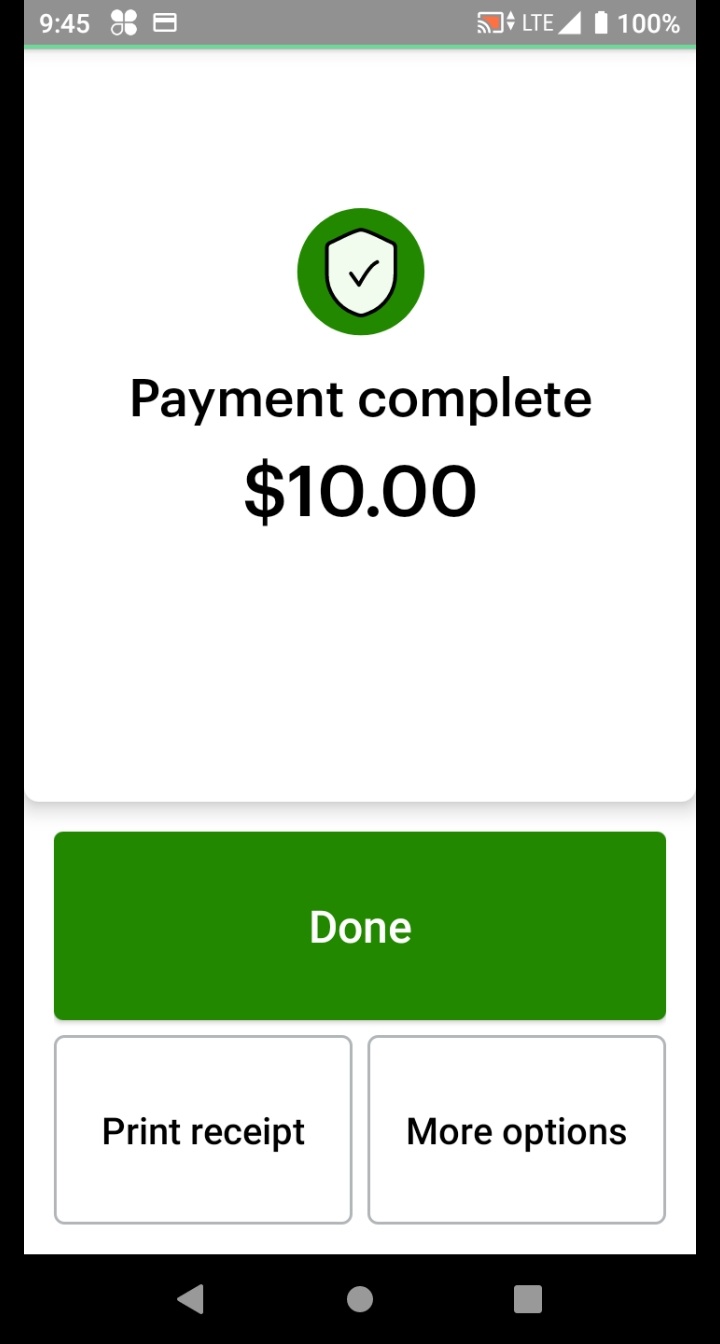
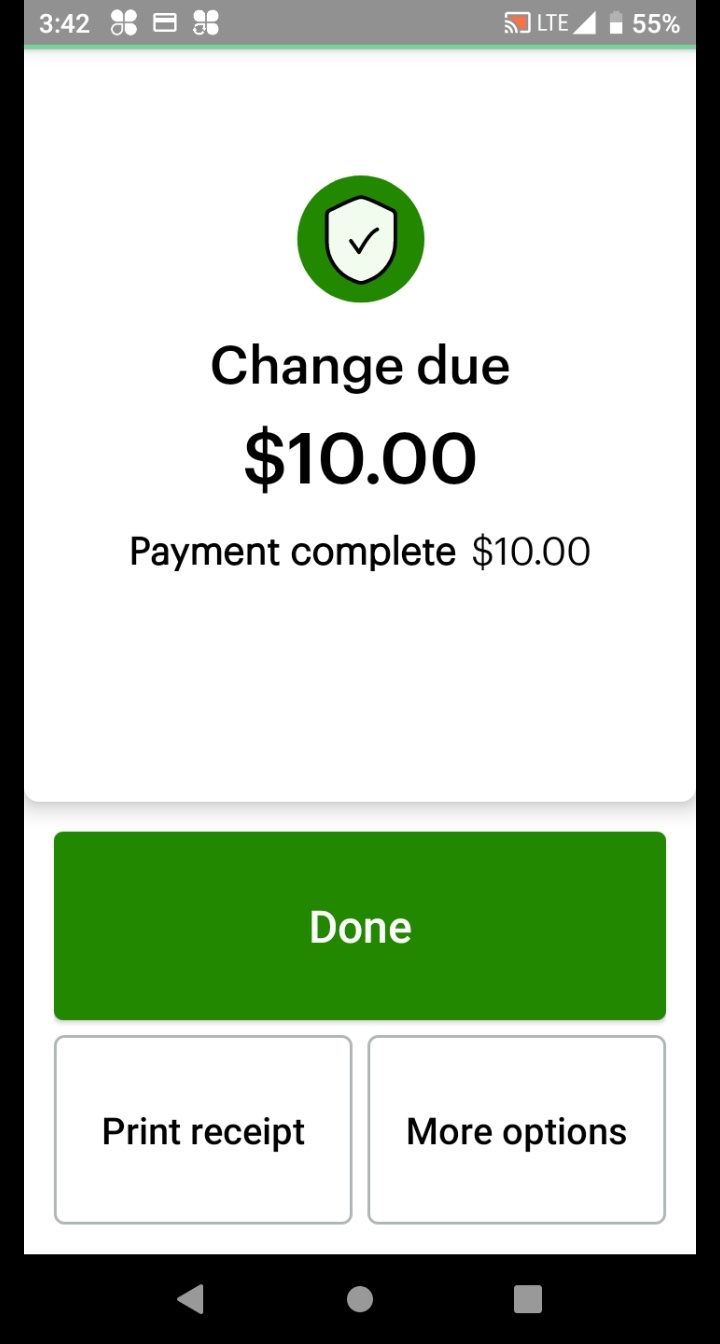
After tapping Pay Cash, Clover immediately shows one of these screens. Follow the path that matches:
Clover shows Payment Complete. The transaction is finished.
Clover shows the Change Due amount. Count out the change and hand it to the customer.
Tap Done to complete the transaction. The screen returns to the Register — you're ready for the next customer! 🎉
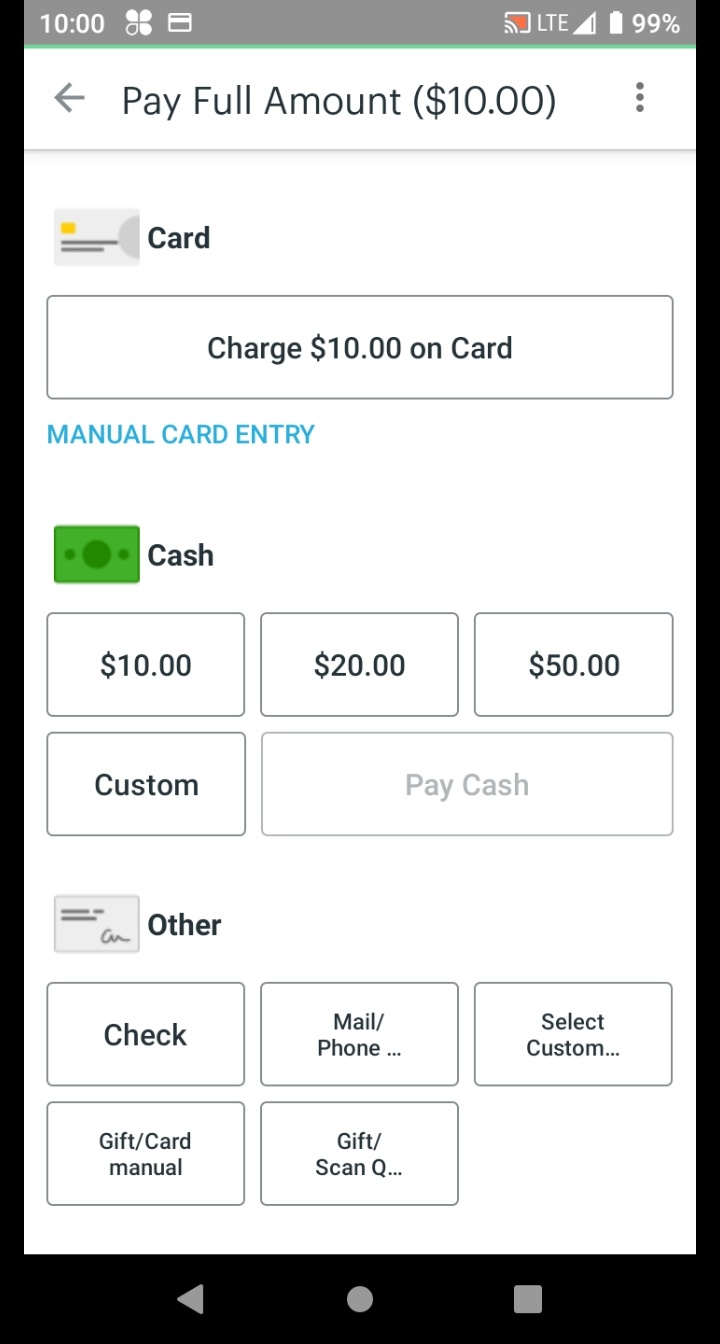
Tap Charge on Card for the amount shown.
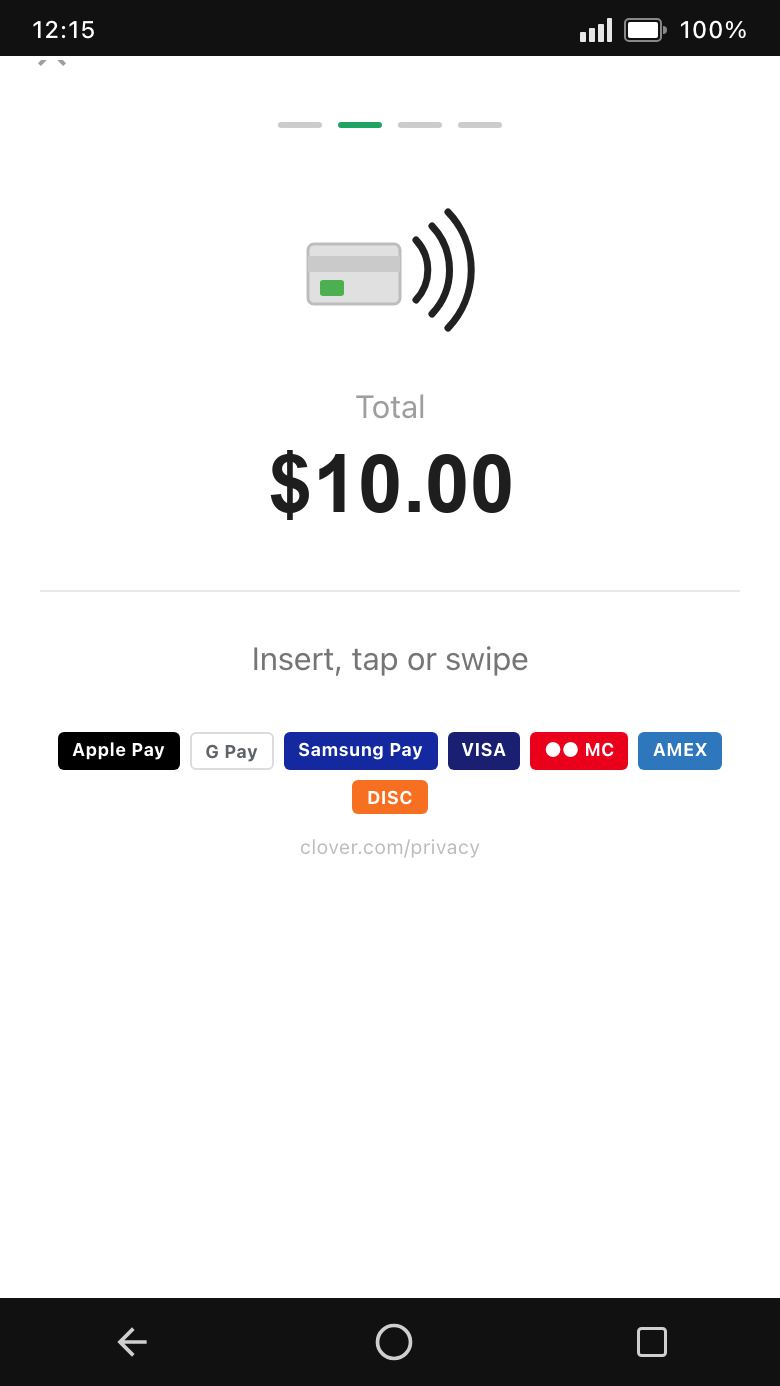
Have the customer tap their card or device.
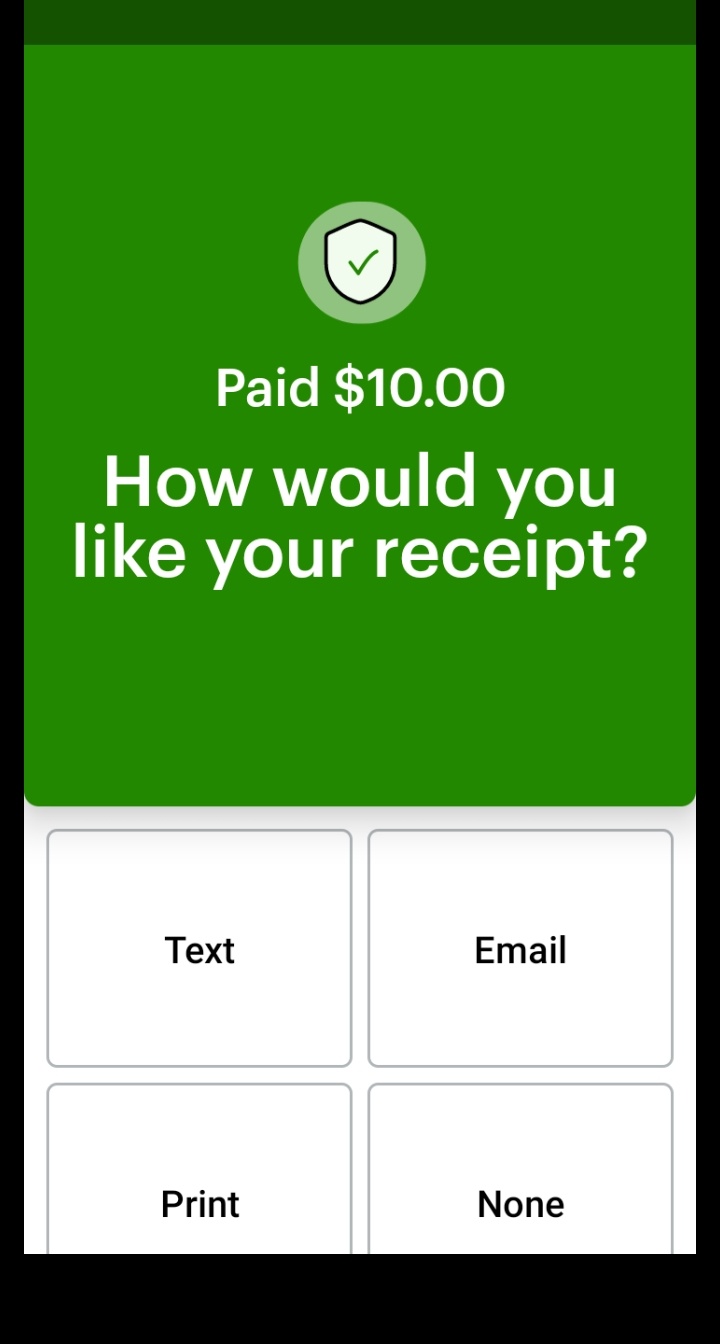
Select the customer's receipt preference, then tap Done.
The screen will return to the Register. The sale is complete.
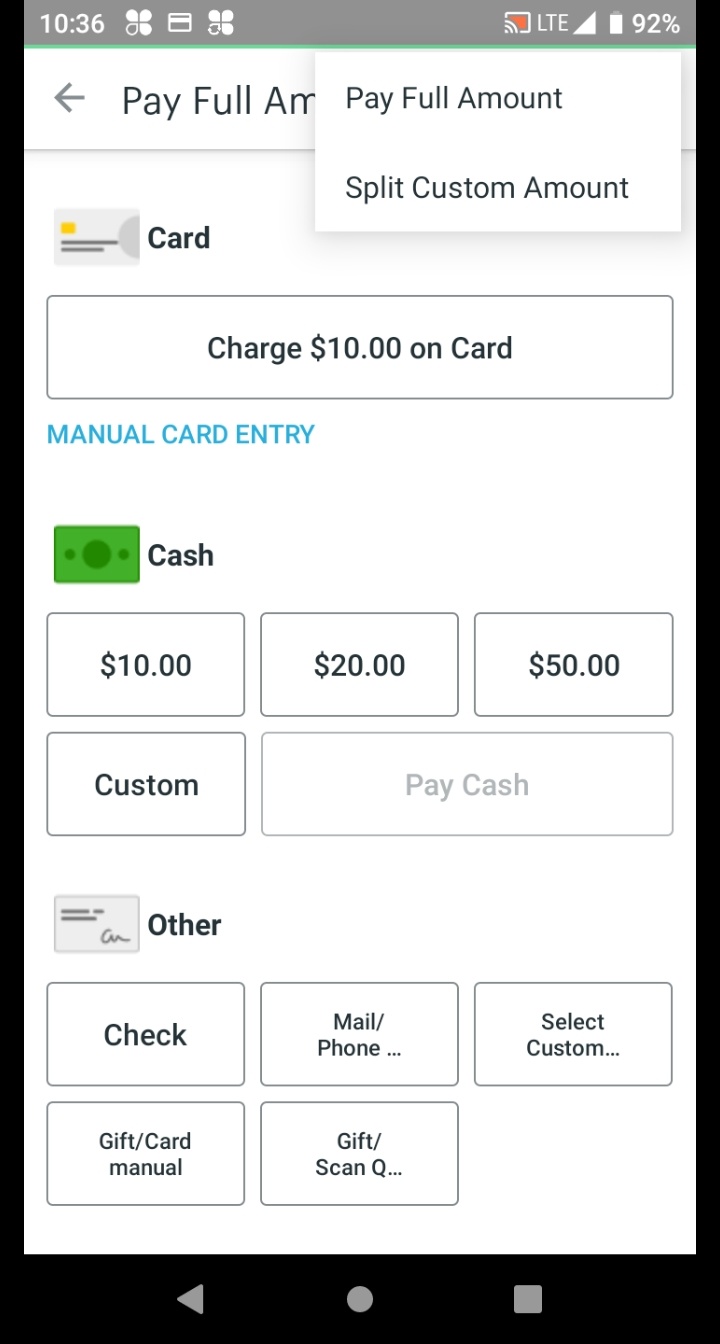
On the payment screen, tap the 3-dot menu in the top right corner, then select Split Custom Amount.
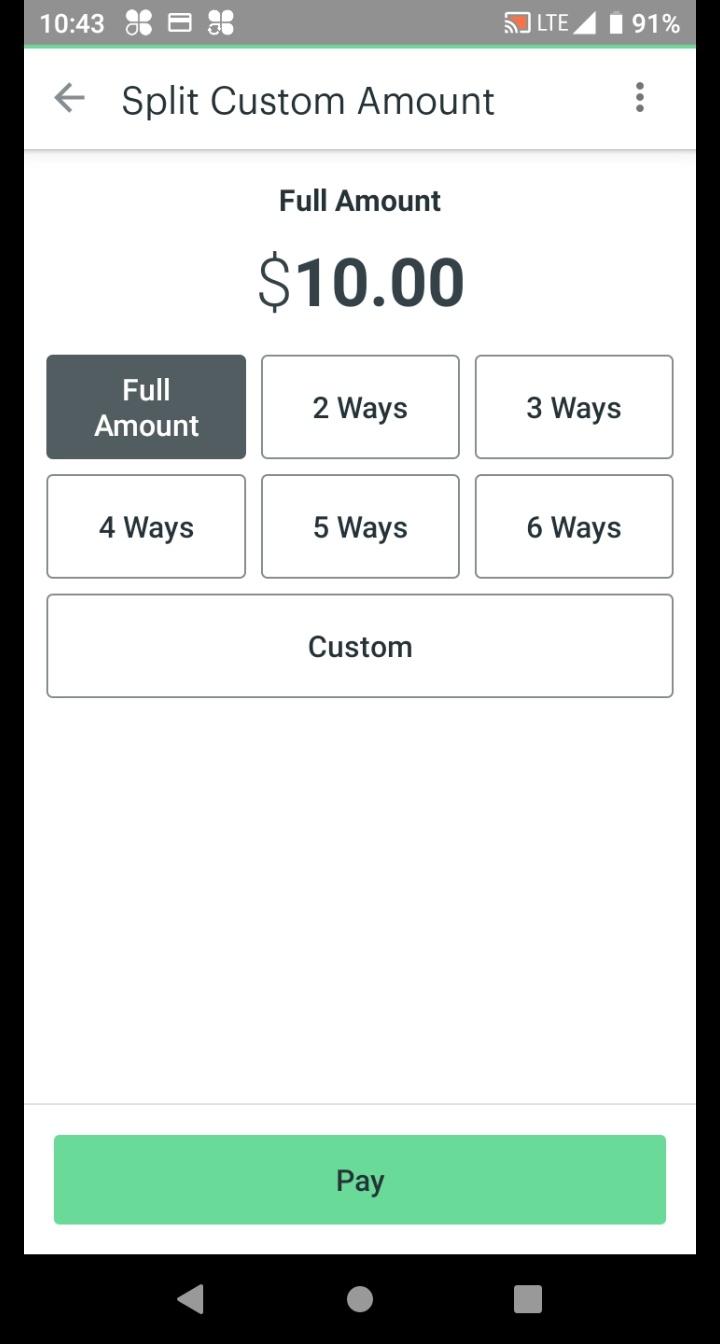
On the Full Amount Options screen, tap Custom to enter the cash portion.
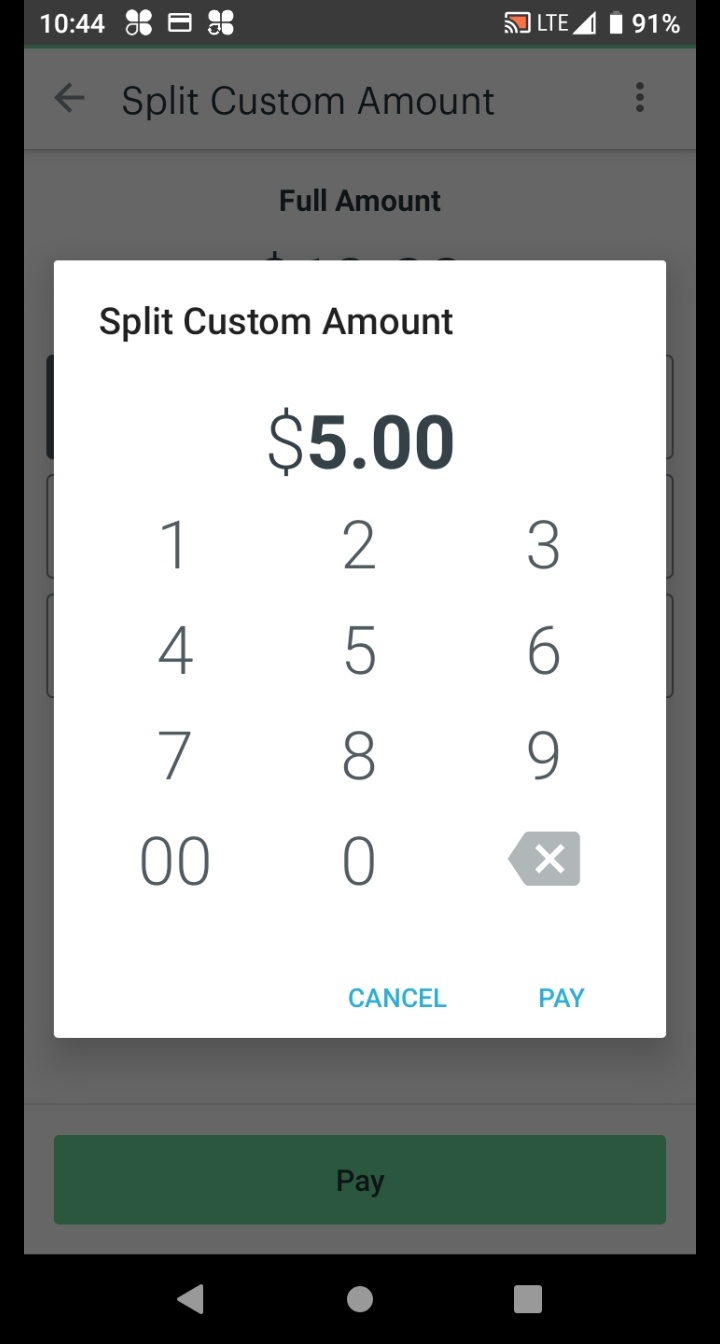
Using the keypad, enter the cash amount the customer is paying, then tap Pay.
On the Split Custom screen, select the cash amount shown in the Cash section, then tap Pay Cash.
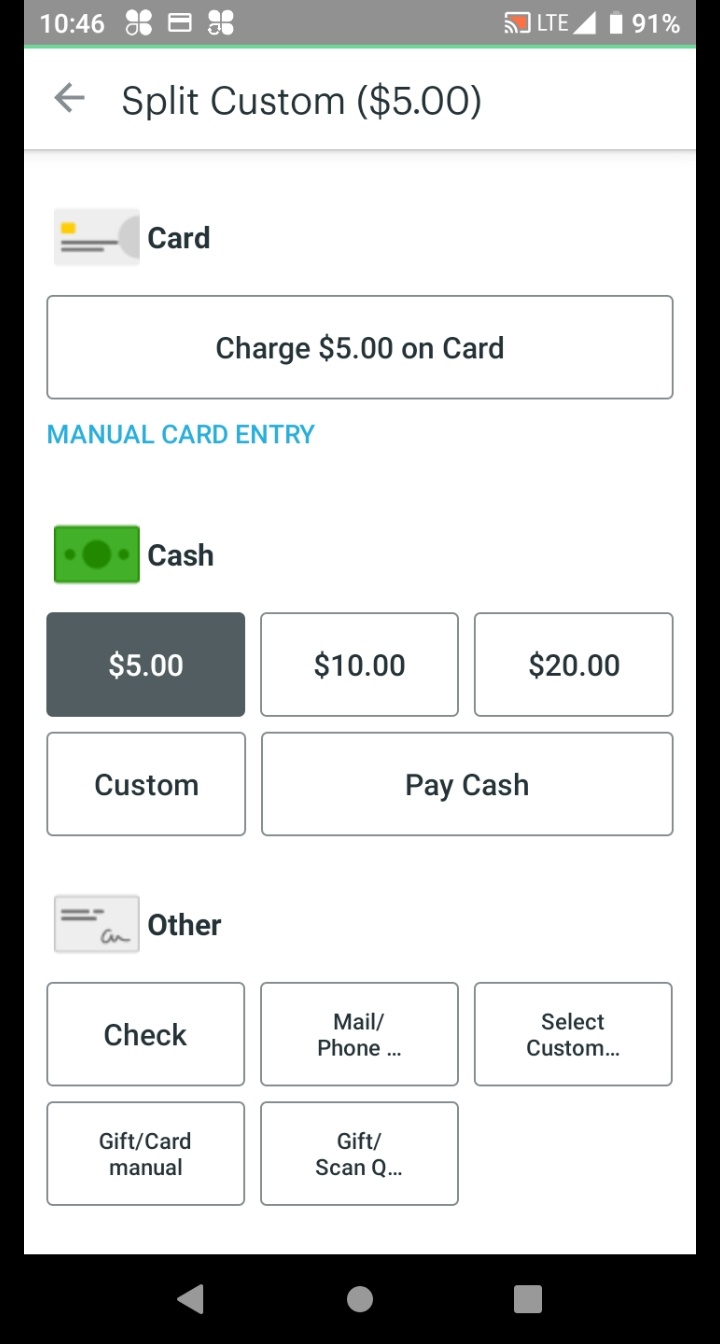
Clover shows the remaining balance due. Tap Take Next Payment to proceed to the credit portion.
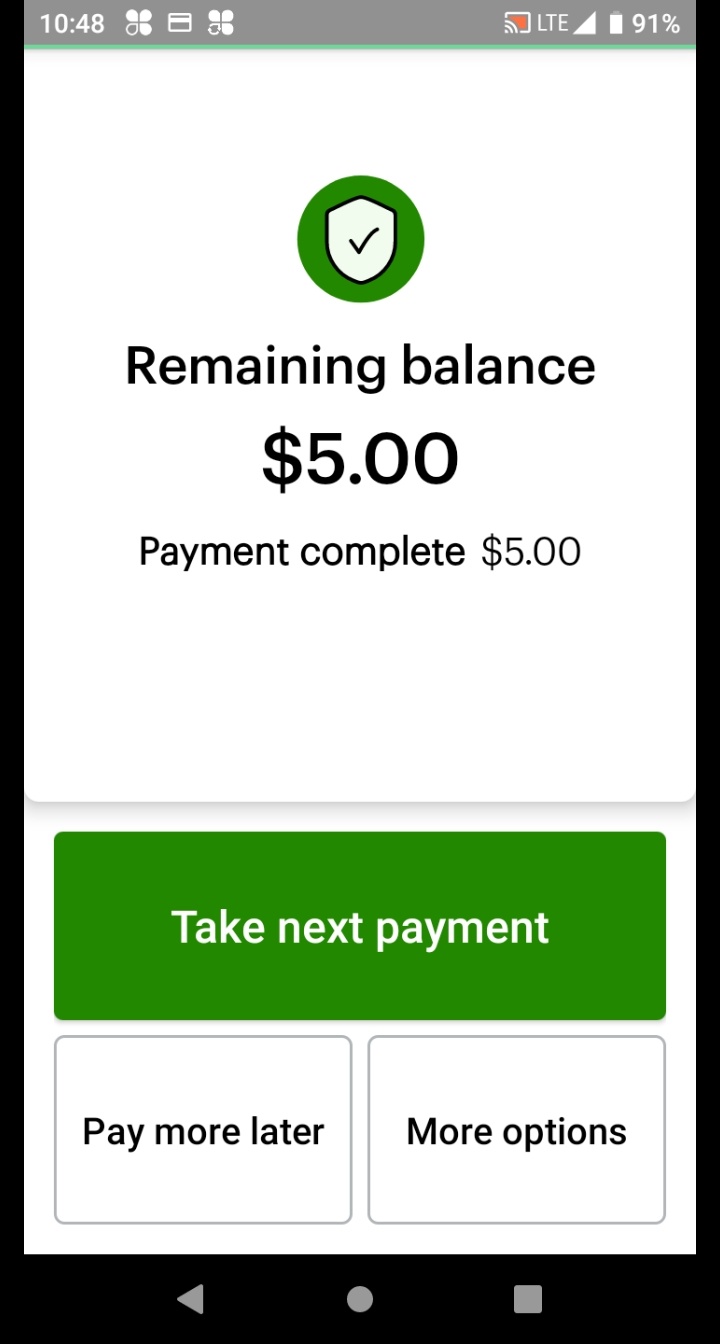
Clover returns to the payment options screen showing the remaining credit balance. Full Amount is pre-selected — tap Pay.
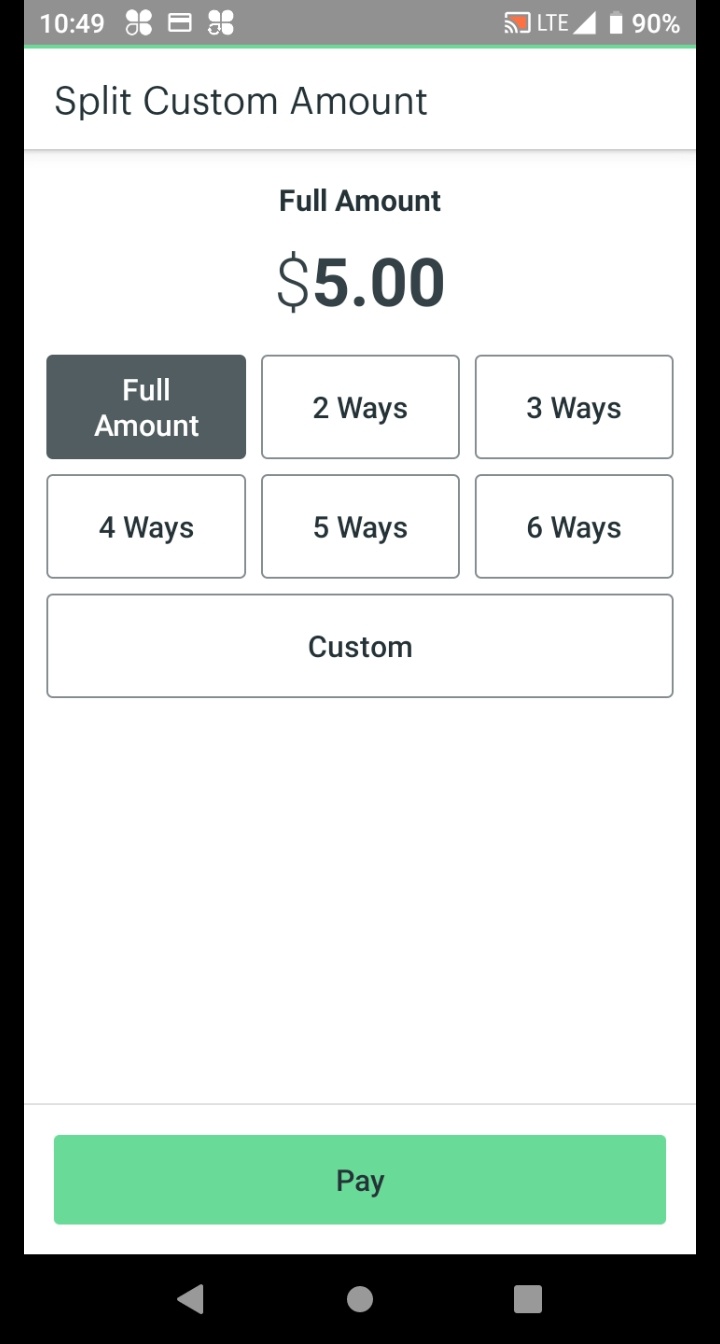
On the split screen, select the credit amount shown in the Credit section.
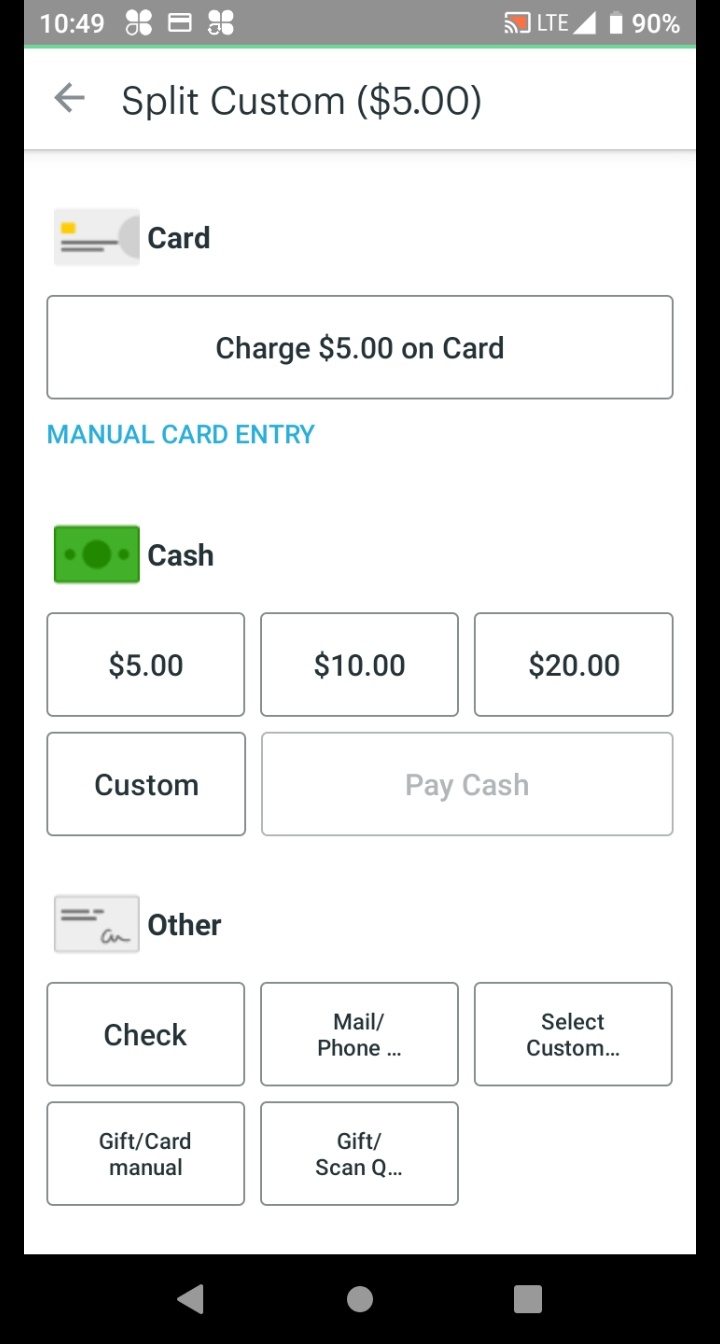
Clover shows the remaining credit amount. Tap Charge on Card, then have the customer tap, insert, or swipe their card. Clover processes the payment automatically.
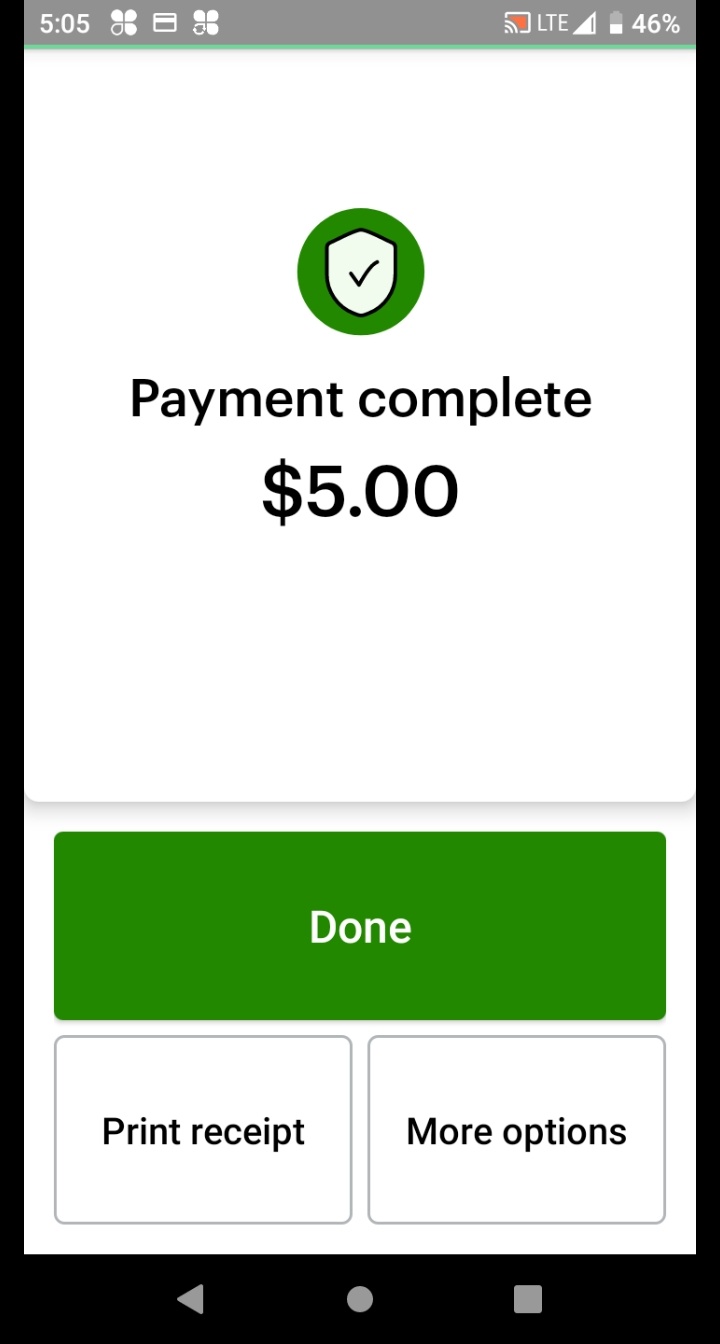
Tap Done. The screen returns to the Register — sale complete! 🎉
Pre-payment only
Use this to cancel and reset an order before payment is processed. If the customer has already paid, stop — that requires a Refund, not a delete.
Tap the ⋮ three-dot menu in the top-right corner, then tap Delete Order.
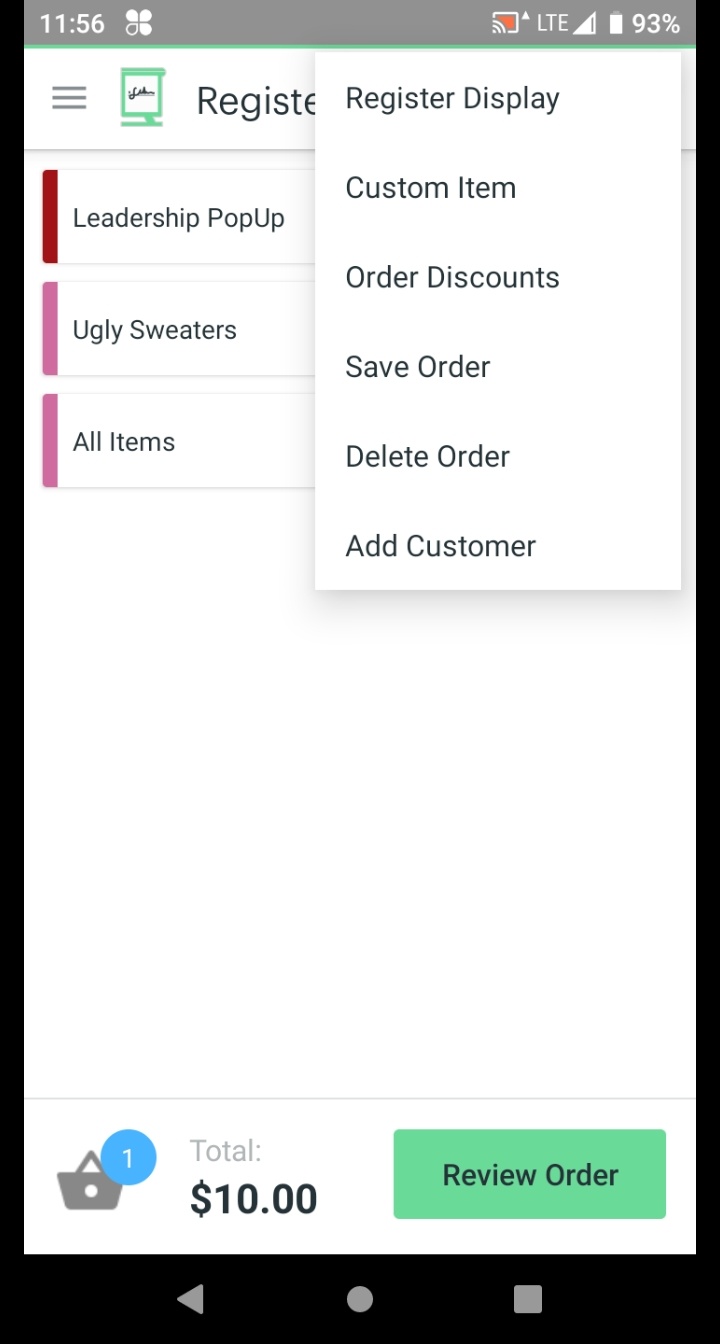
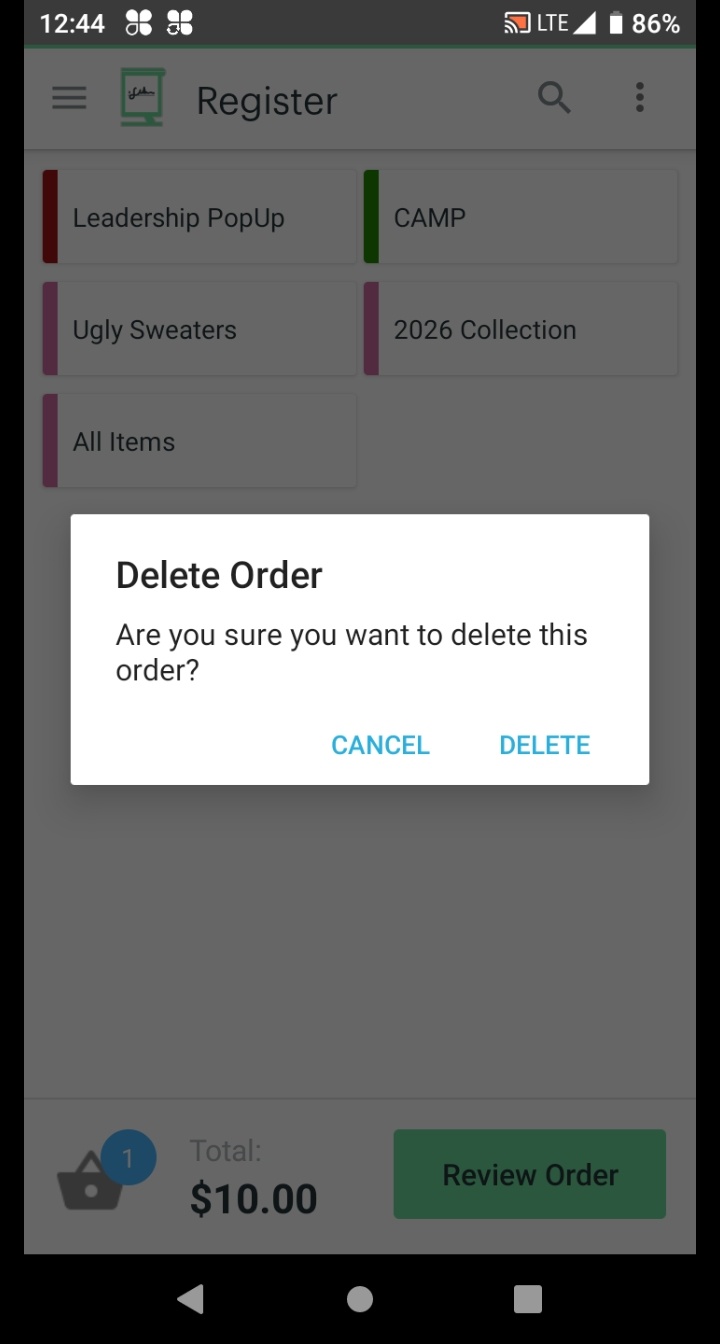
Clover displays a warning: "Delete Order — Are you sure you want to delete this order?"
Tap Delete to confirm and clear the order. Tap Cancel to go back without losing anything.
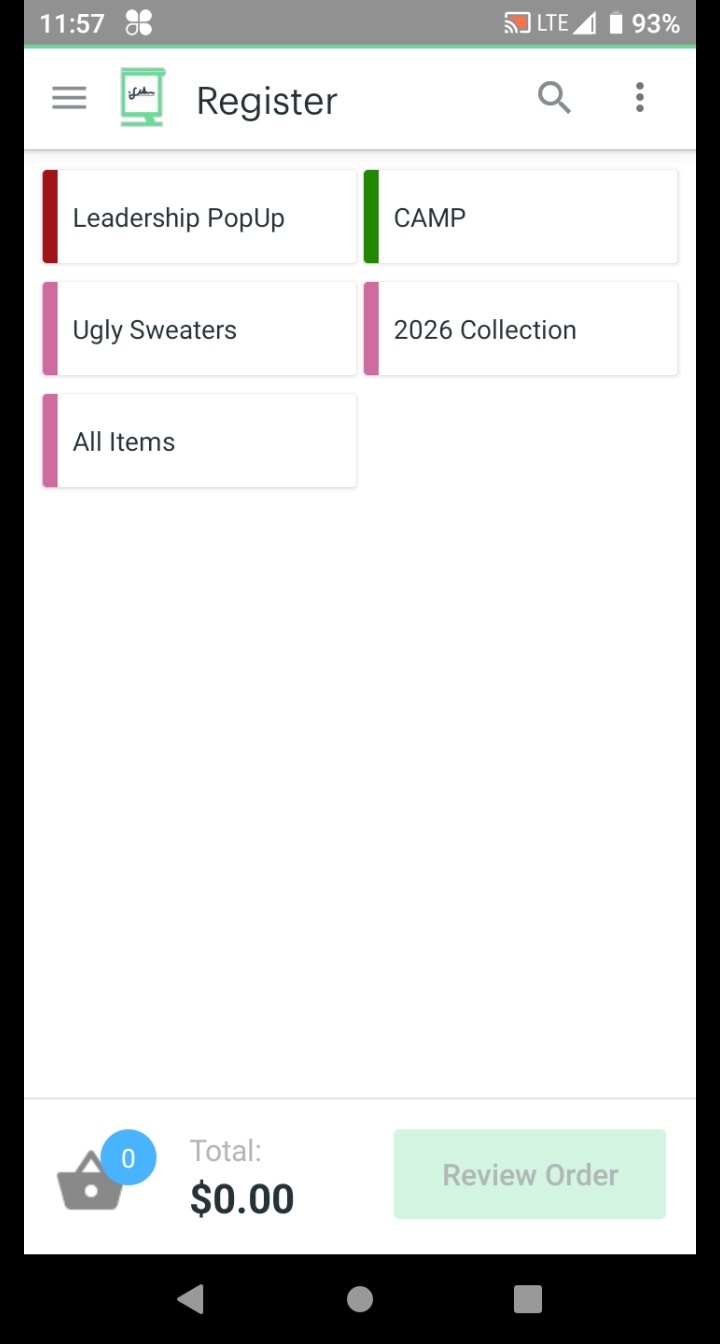
Clover returns to the Register screen with $0.00 balance and an empty cart. You're ready to start a new order.
Manager / Team Lead only
How to locate a past transaction and issue a refund through the Transactions app — back to the customer's original form of payment.
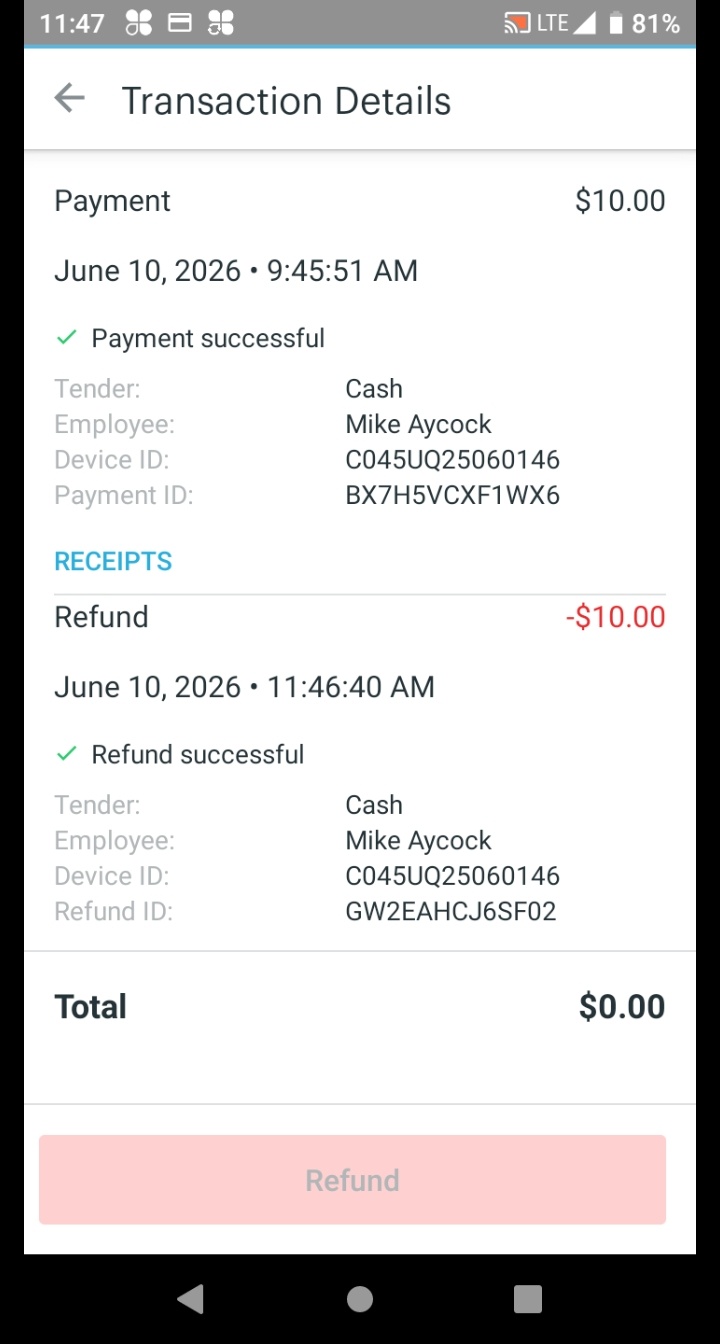
From the Clover Home screen, open the Transactions app. Find and tap the transaction to refund.
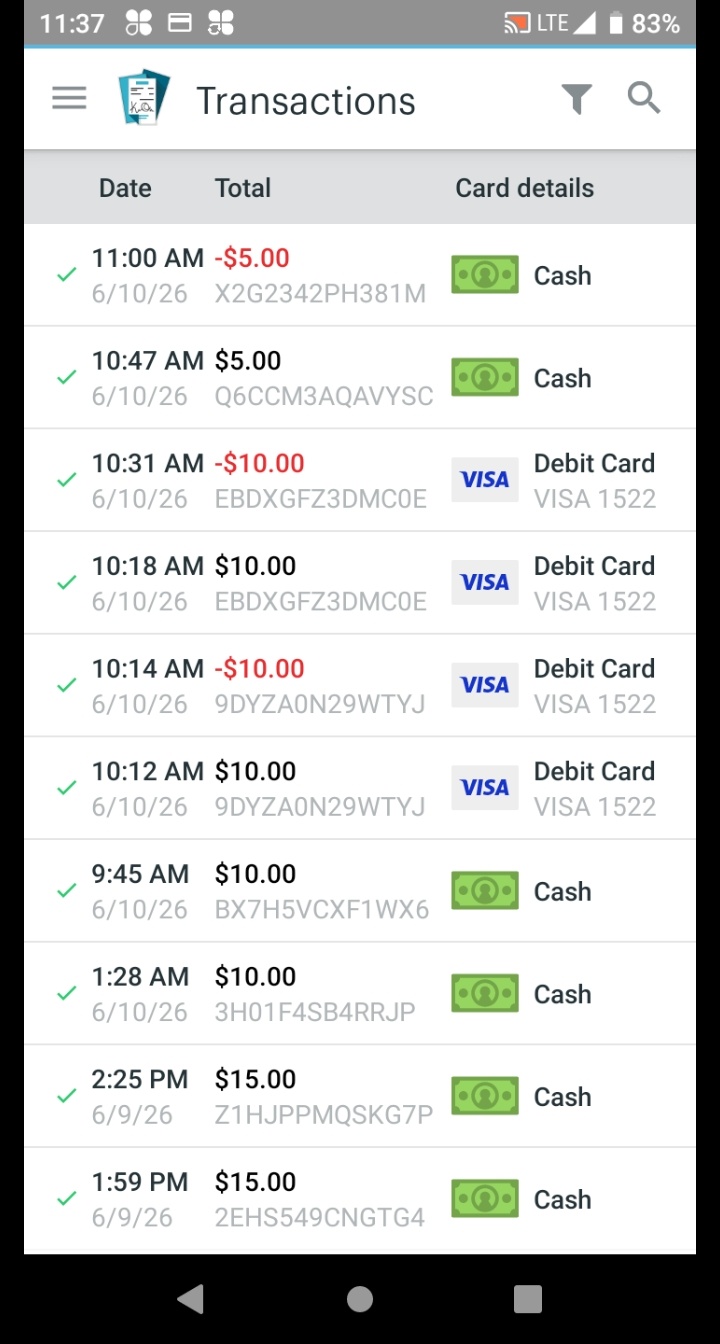
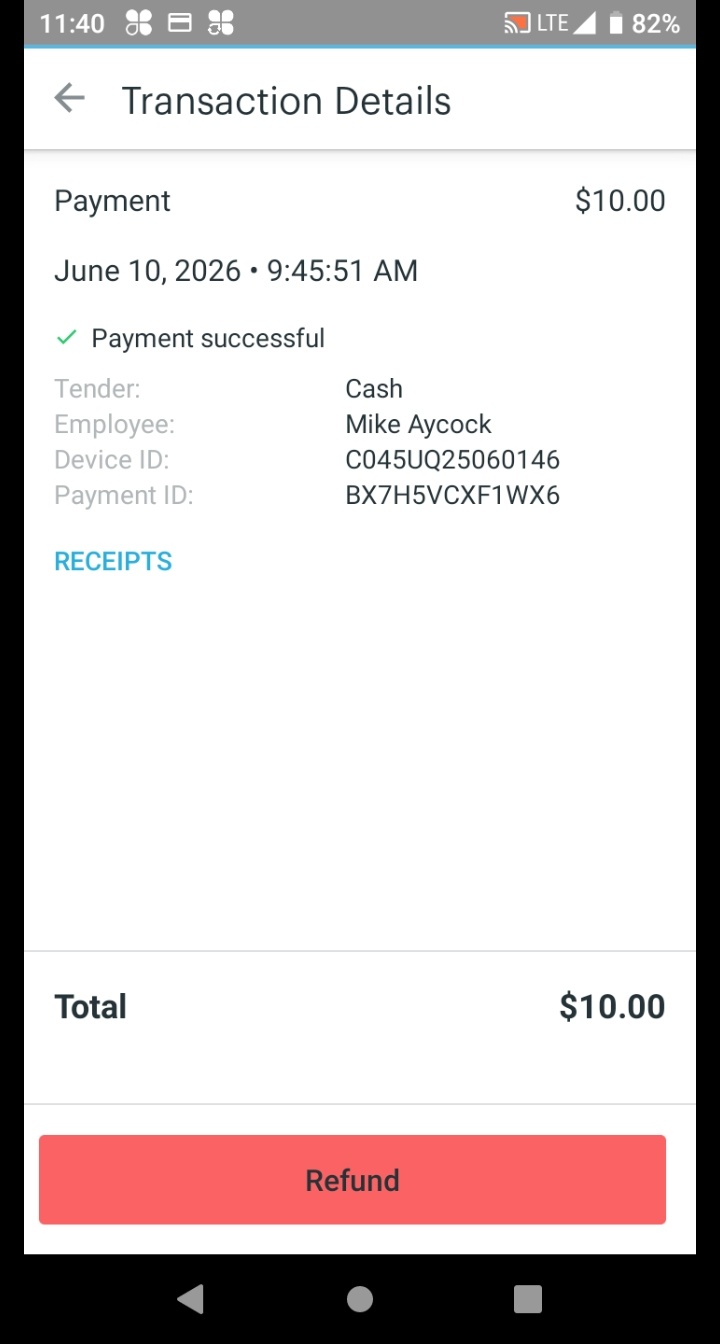
The Transaction Details screen shows the payment information. Tap the red Refund button at the bottom.
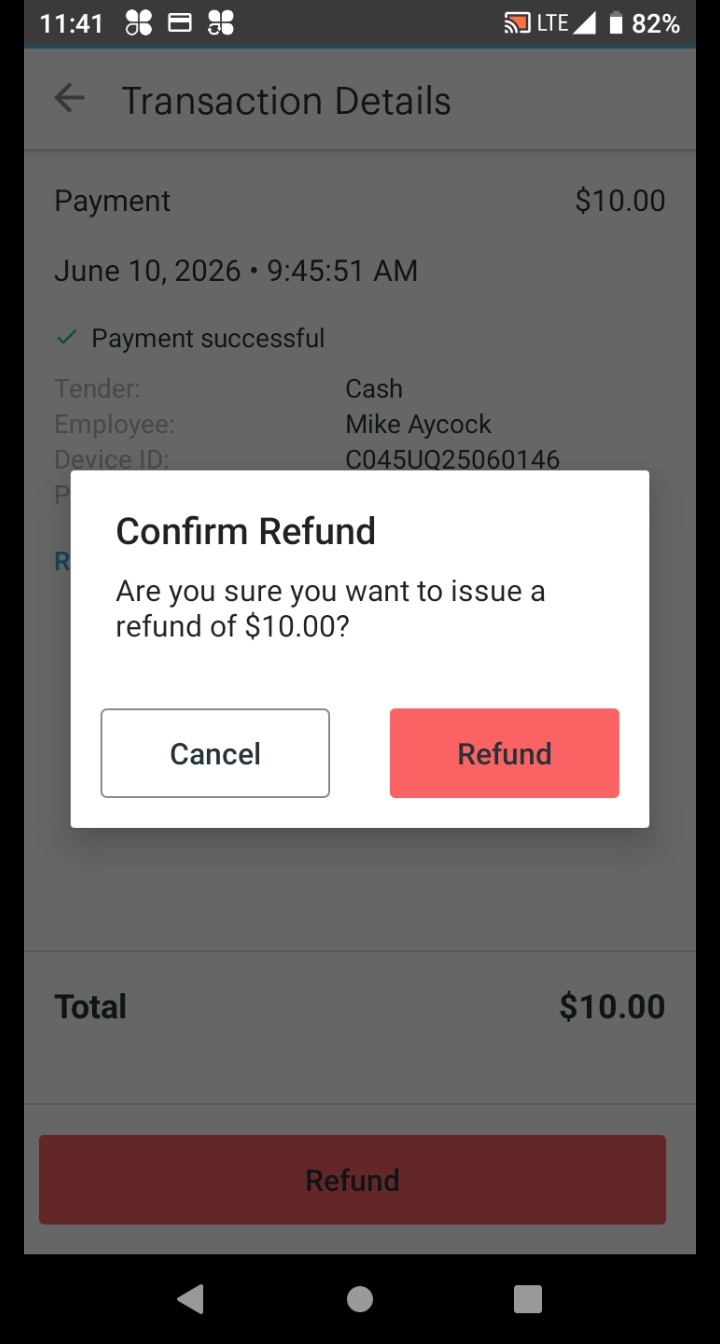
A Confirm Refund dialog appears showing the full amount. Tap Refund to confirm.
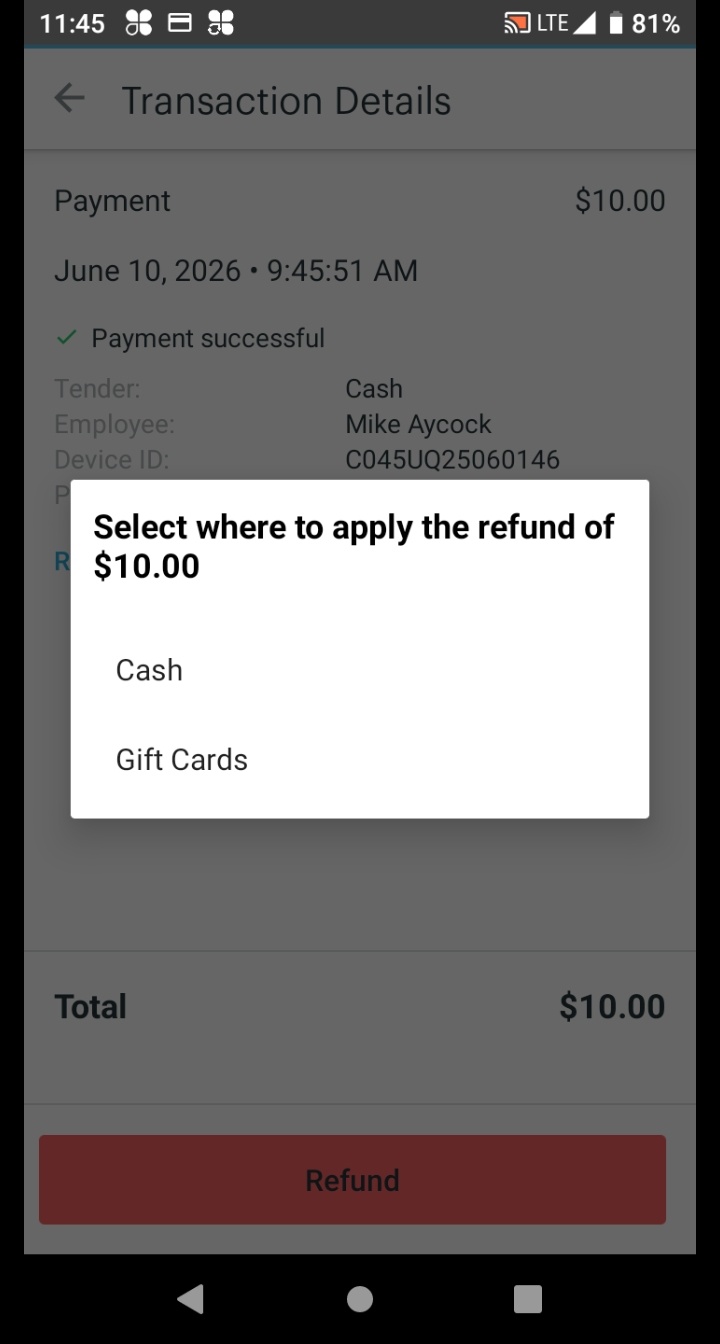
Select where to apply the refund — always match the original payment method. Tap Cash for cash purchases, or Credit for card purchases.
The screen confirms the refund was successful. You're done.
Transaction-based refunds do not include a receipt reprint option.
Manager / Team Lead only
How to process a same-price exchange (size swap) through the Orders app.
From the Clover Home screen, tap Orders to open the Orders app.
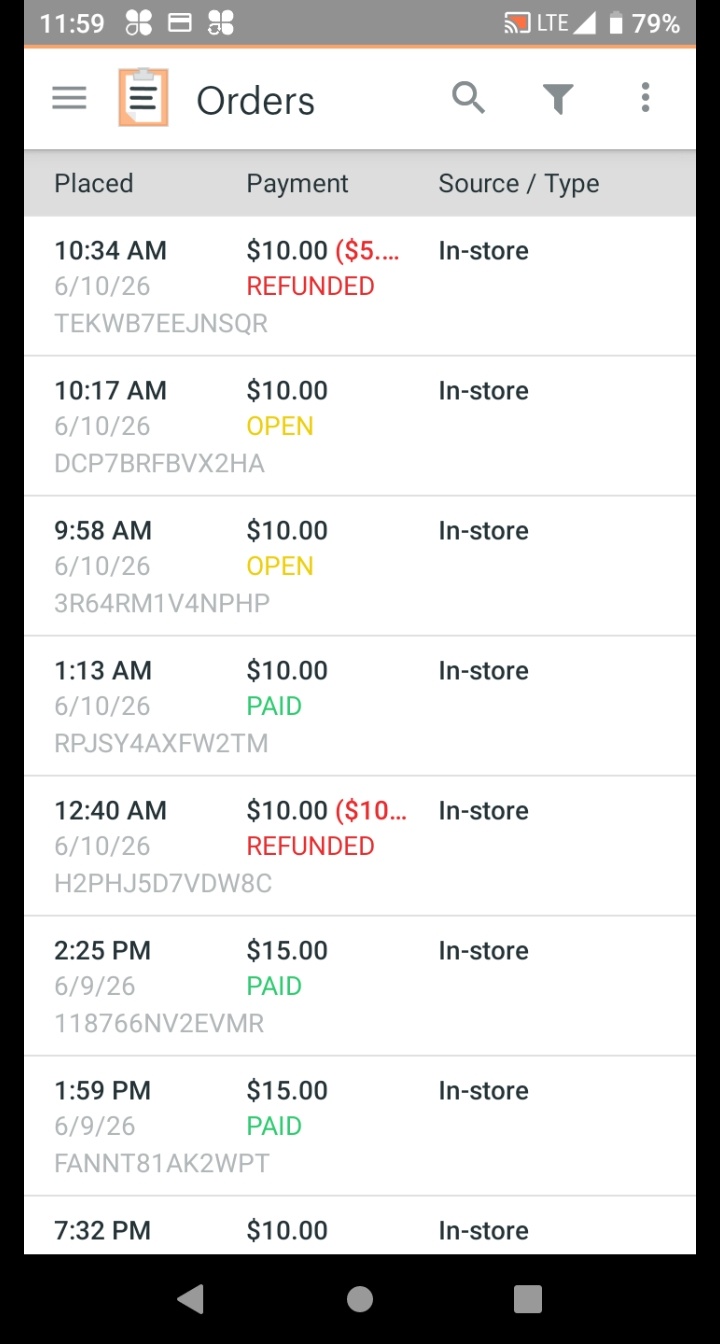
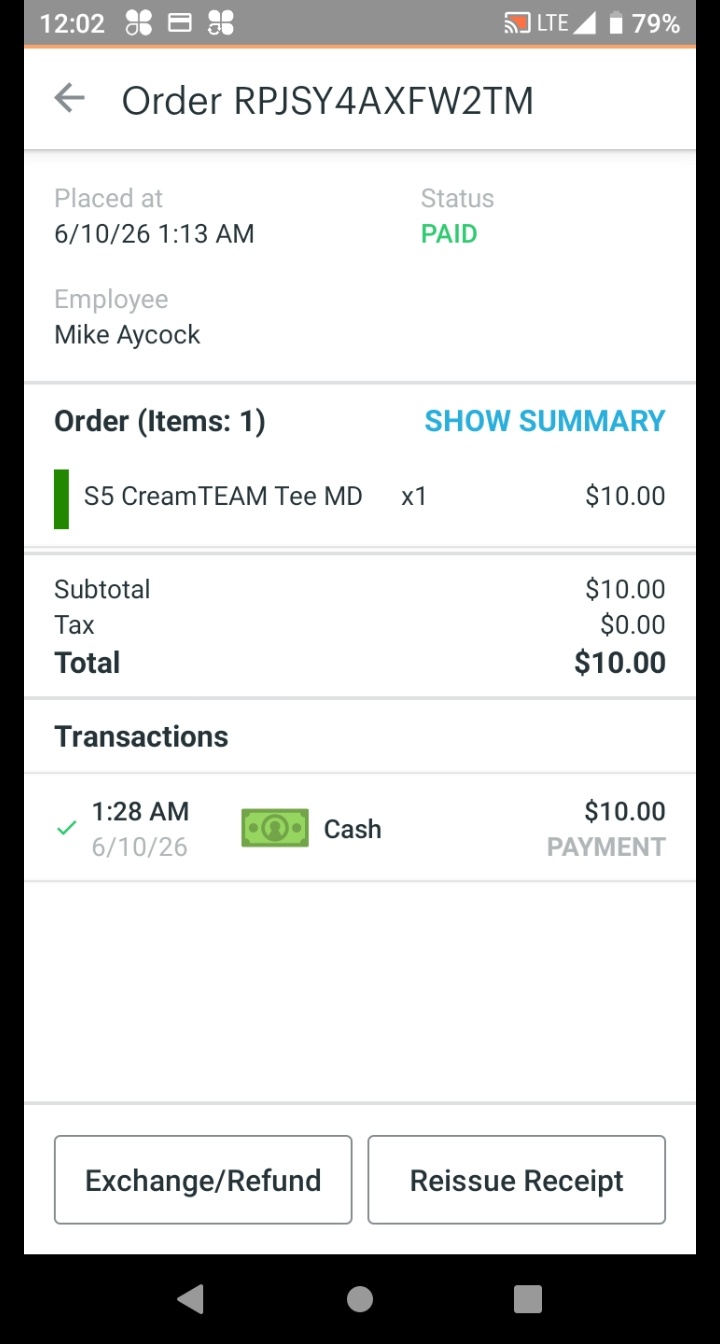
Scroll the list or tap the magnifying glass to search for the order. Tap the order to open it, then tap Exchange/Refund.
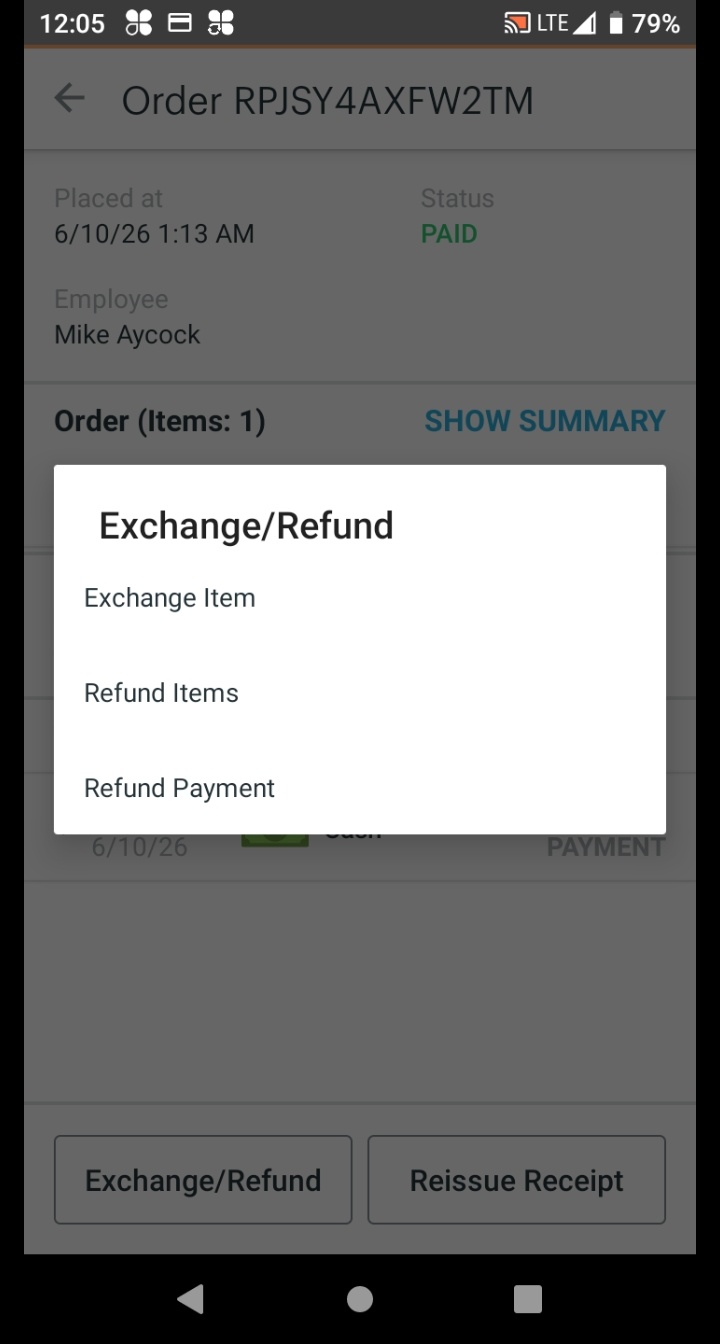
A menu appears. Tap Exchange Item to proceed with the exchange.
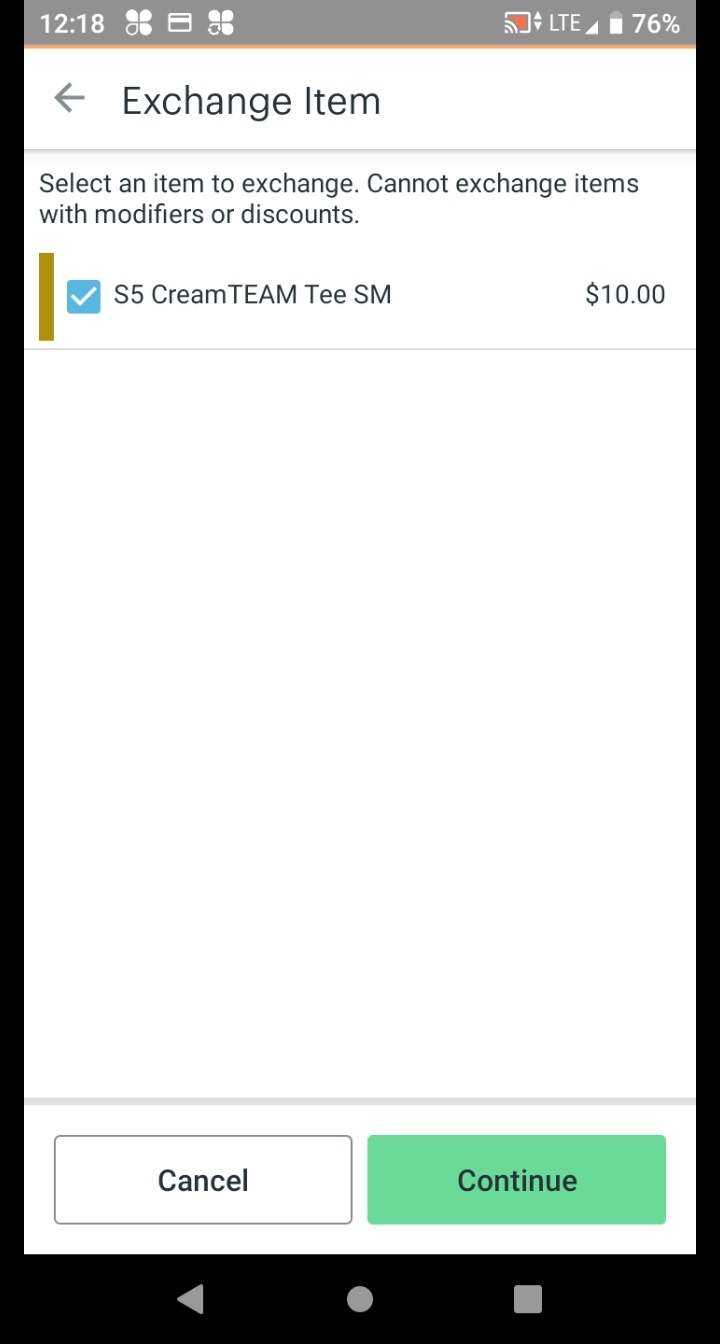
Select the item the customer is returning, then tap Continue. If the order has more than one item, make sure you select the correct one.
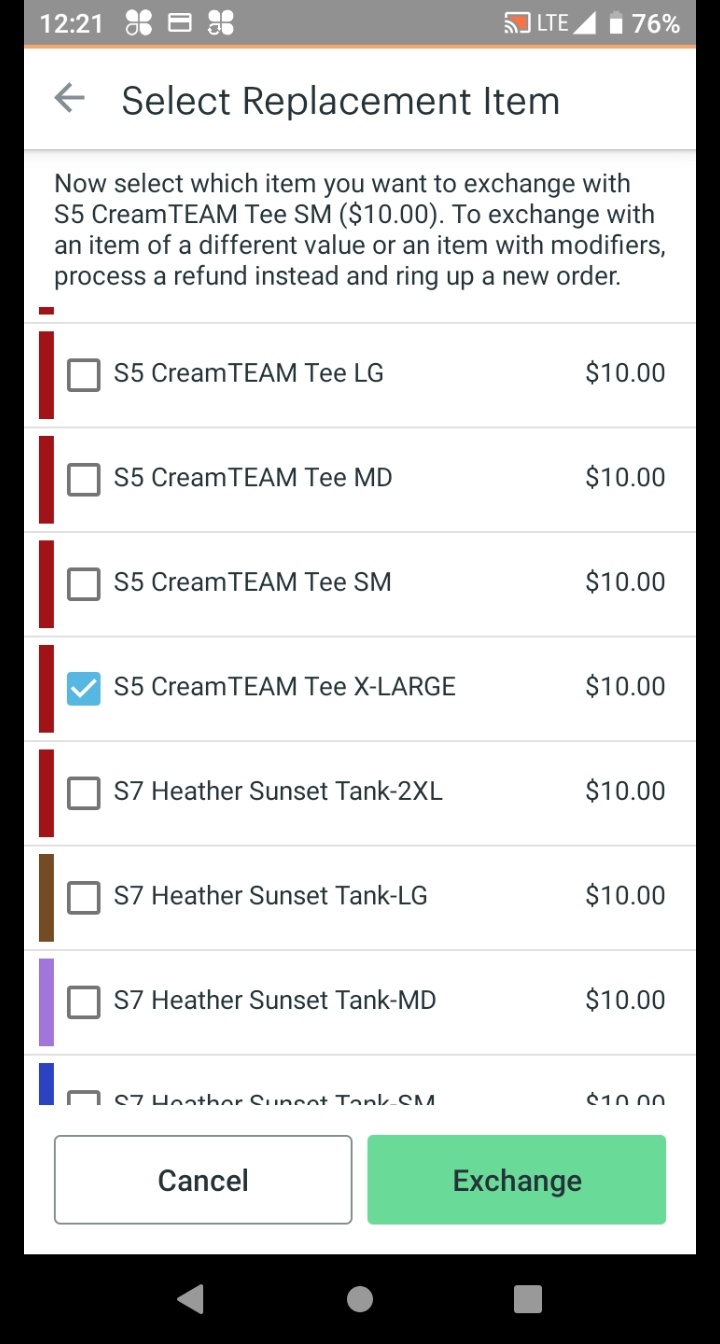
Select the replacement item and size the customer wants, then tap Exchange.
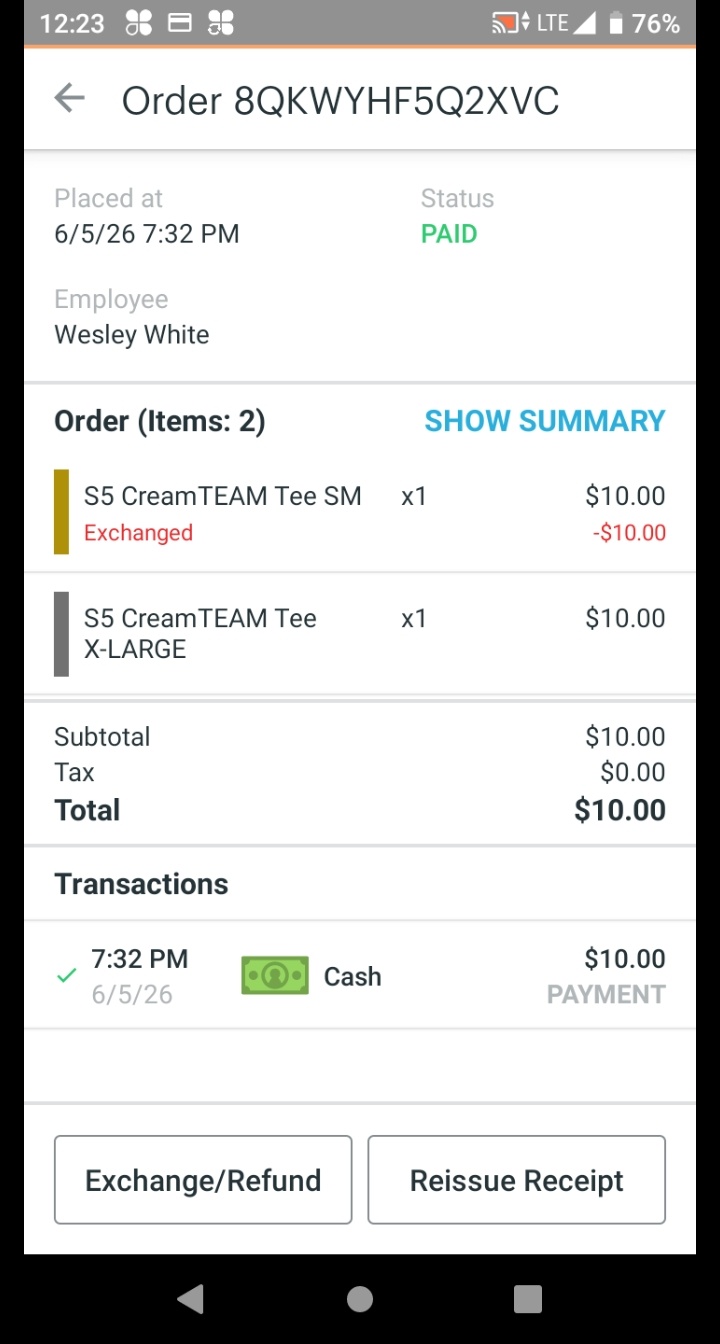
The order updates to confirm the exchange. The returned item is labeled Exchanged with a credit, and the replacement item appears. No money changes hands for a same-price exchange. Tap Reissue Receipt to offer the customer a receipt.
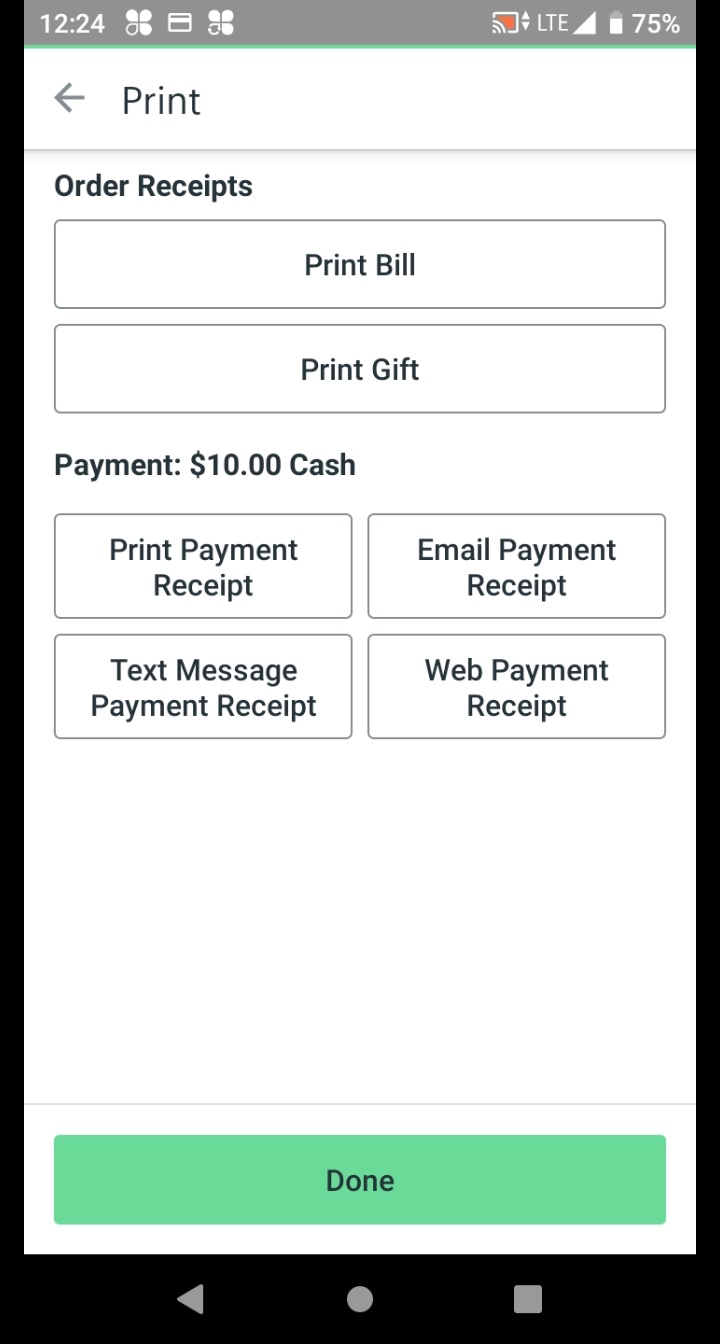
Select the customer's preferred receipt method: Print Payment Receipt, Email Payment Receipt, Text Message Payment Receipt, or Web Payment Receipt. Tap Done when finished.
Available now
Tips and tricks for finding items quickly in the POS when categories are confusing.
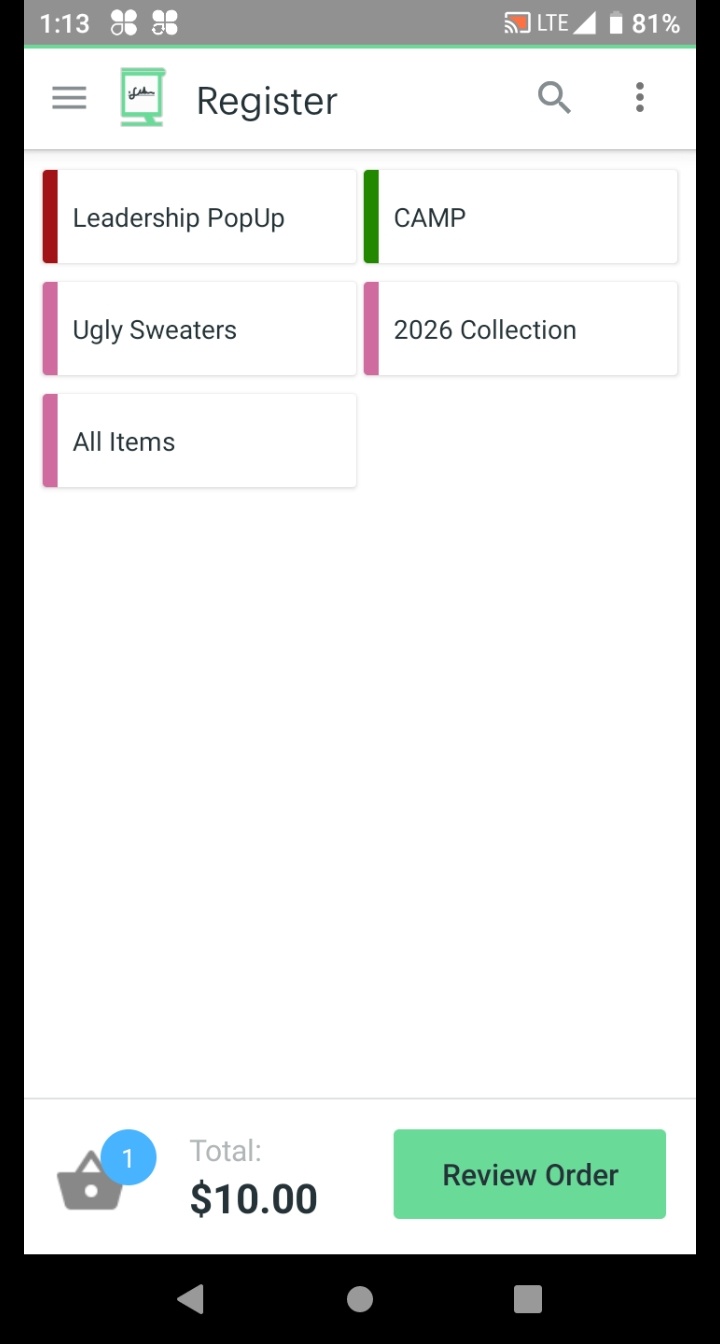
From the Register screen, tap the magnifying glass search icon in the top header bar.
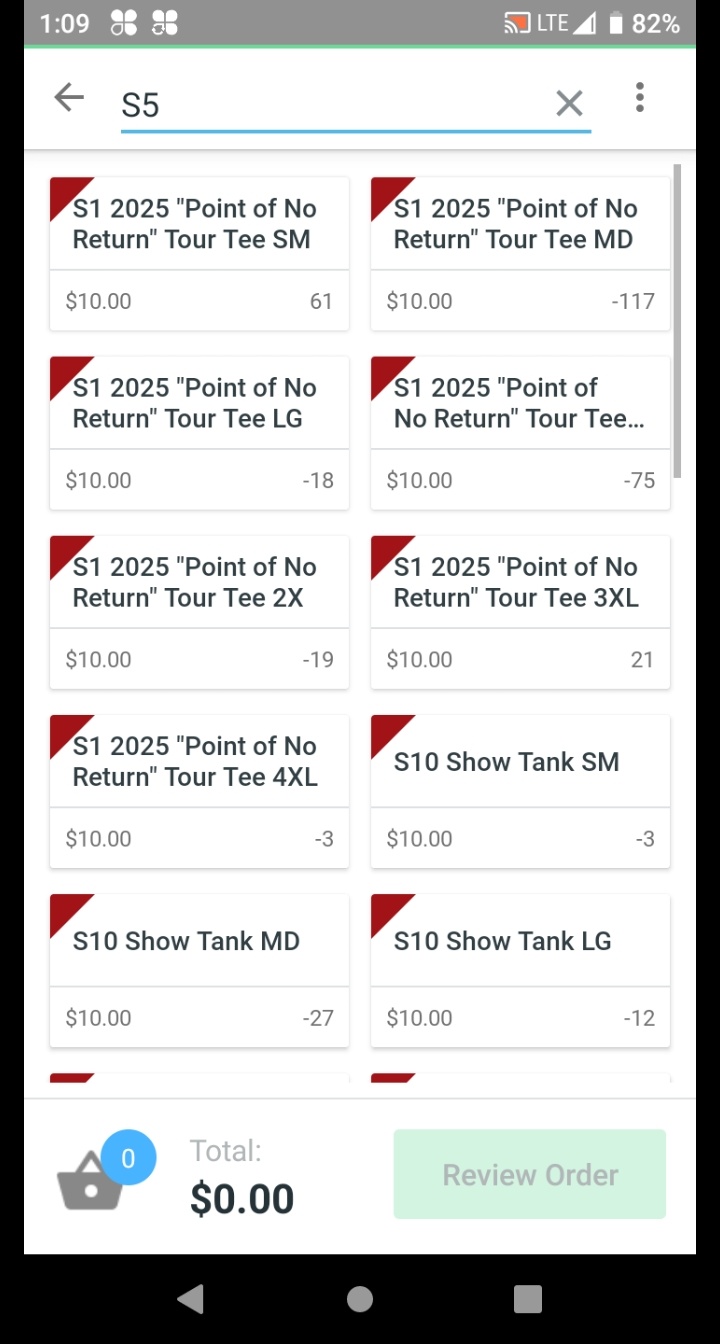
Type directly into the search bar. Results update live. Three approaches work:
Alpha-Numeric SKU Codes
Type the SKU code directly — for example E4 or S3 — to pull up that exact product instantly. No scrolling. No category drilling.
Keywords (Fastest for ~1,000 SKUs)
Search is essential as browsing is too slow. Be specific: search "trumpet" instead of browsing "figurines", search "Band Mom" instead of "transfers", or search by the Event Name.
Tip: If you know the product family name, type that.
Event SKUs (Temporary)
Event SKUs follow the format EventName25-Tee or EventName25-Hoodie.
These are temporary (active for one weekend only, up to 15 per season) and are removed afterward.
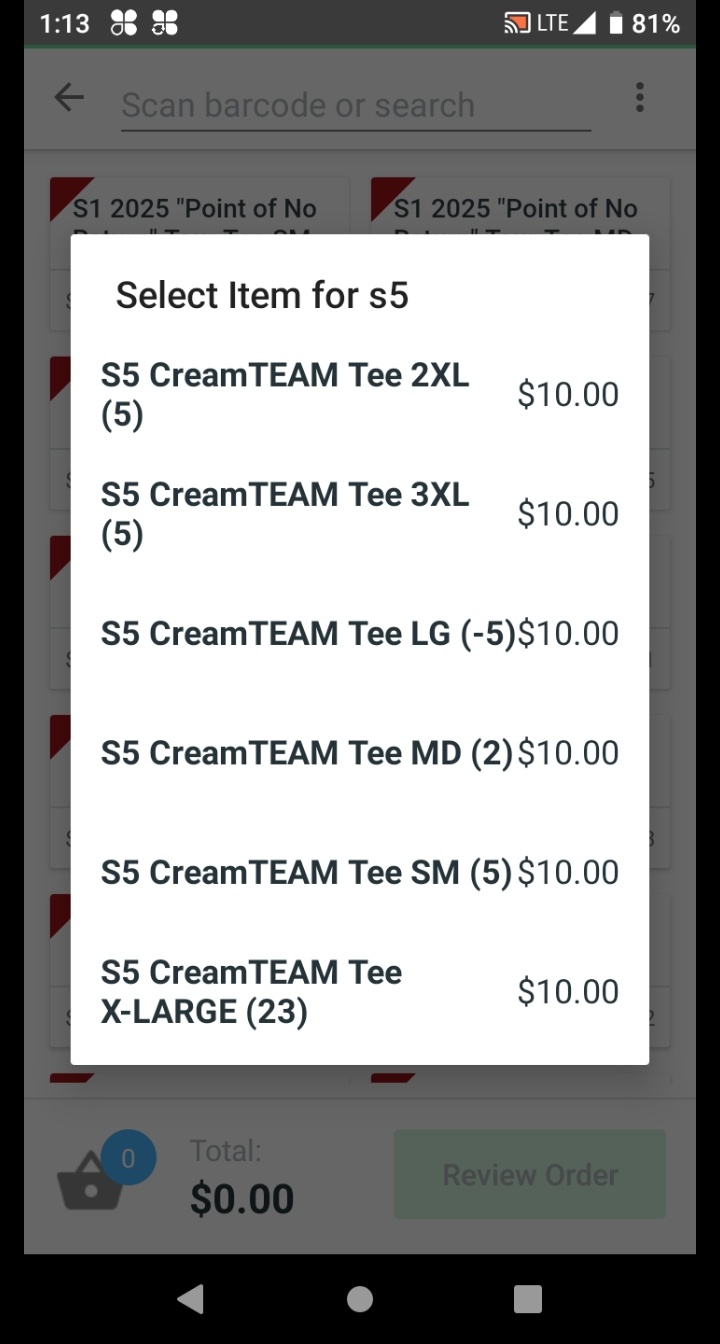
Tap the correct result. Clover will load the size selector or add it directly to the cart.
From here the process is the same as Processing a Sale starting at Step 4.
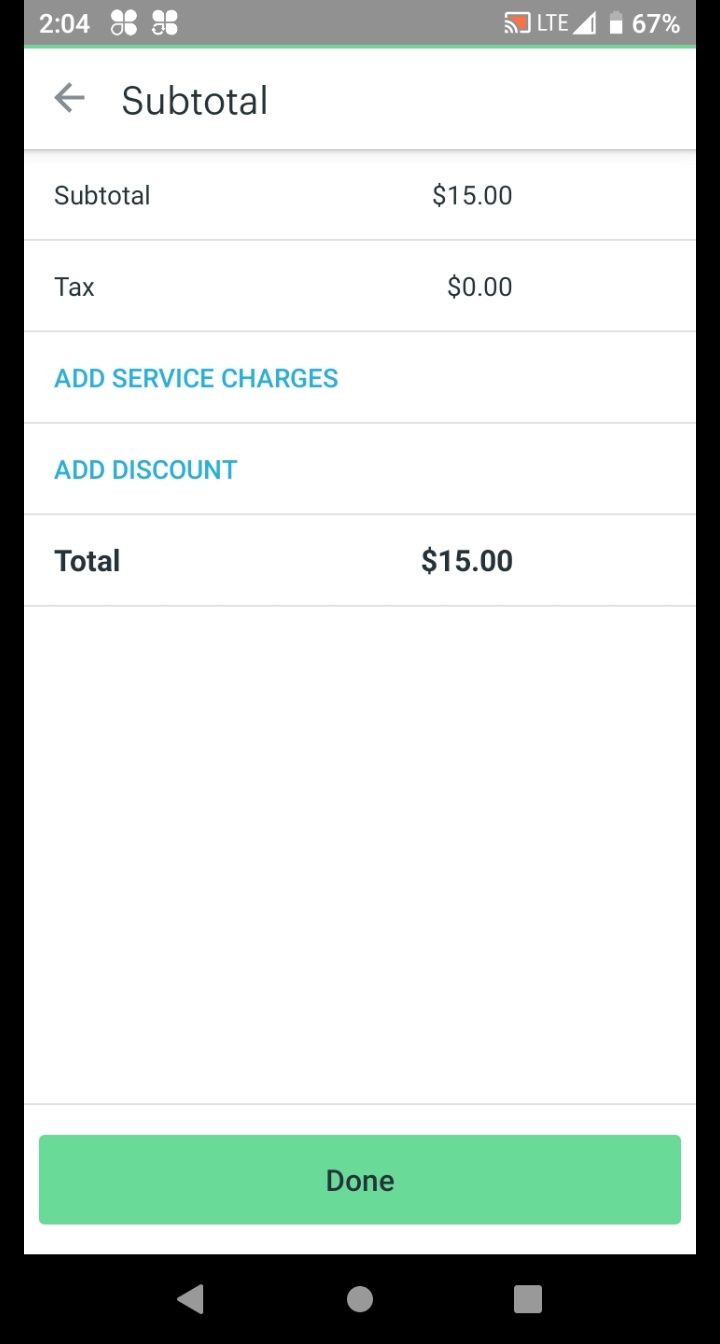
How to correctly apply an Order Discount from the ⋮ menu or the Subtotal screen — the steps are the same regardless of season.
You're now on the Subtotal screen. Tap the blue ADD DISCOUNT link.
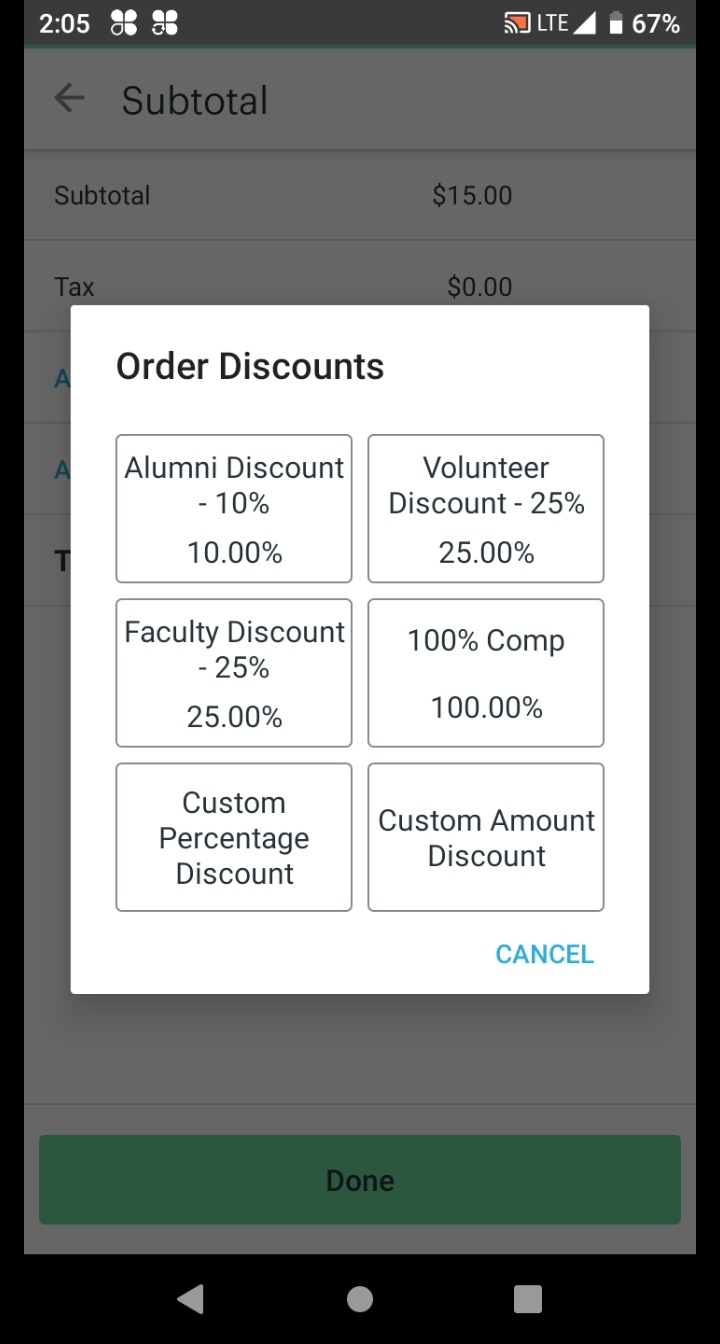
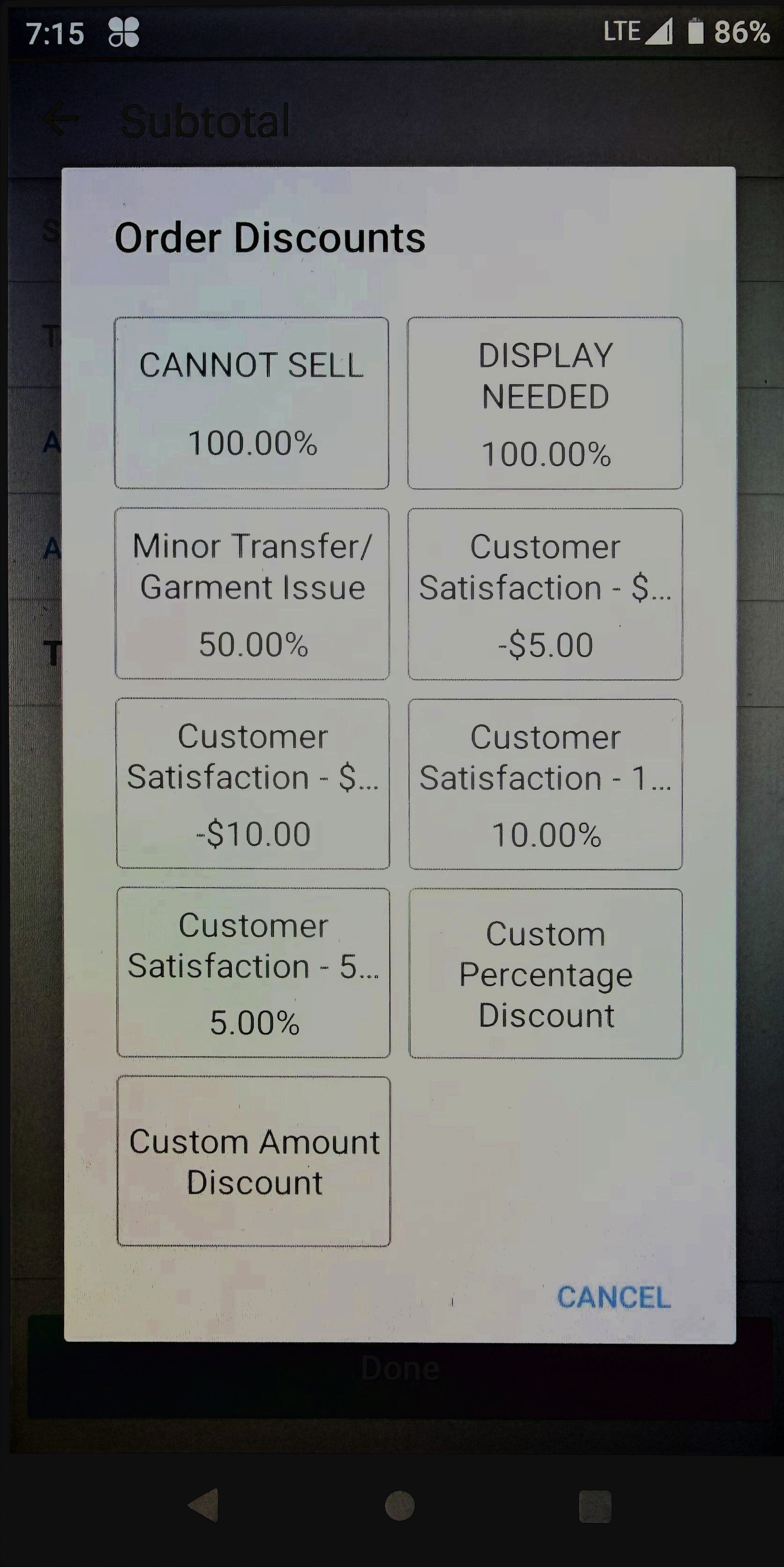
The Order Discounts modal opens. Tap the button that matches the customer's discount category.
☀️ Summer Tour — Fixed Categories (no negotiation)
🍂 Fall Events — Negotiated Categories
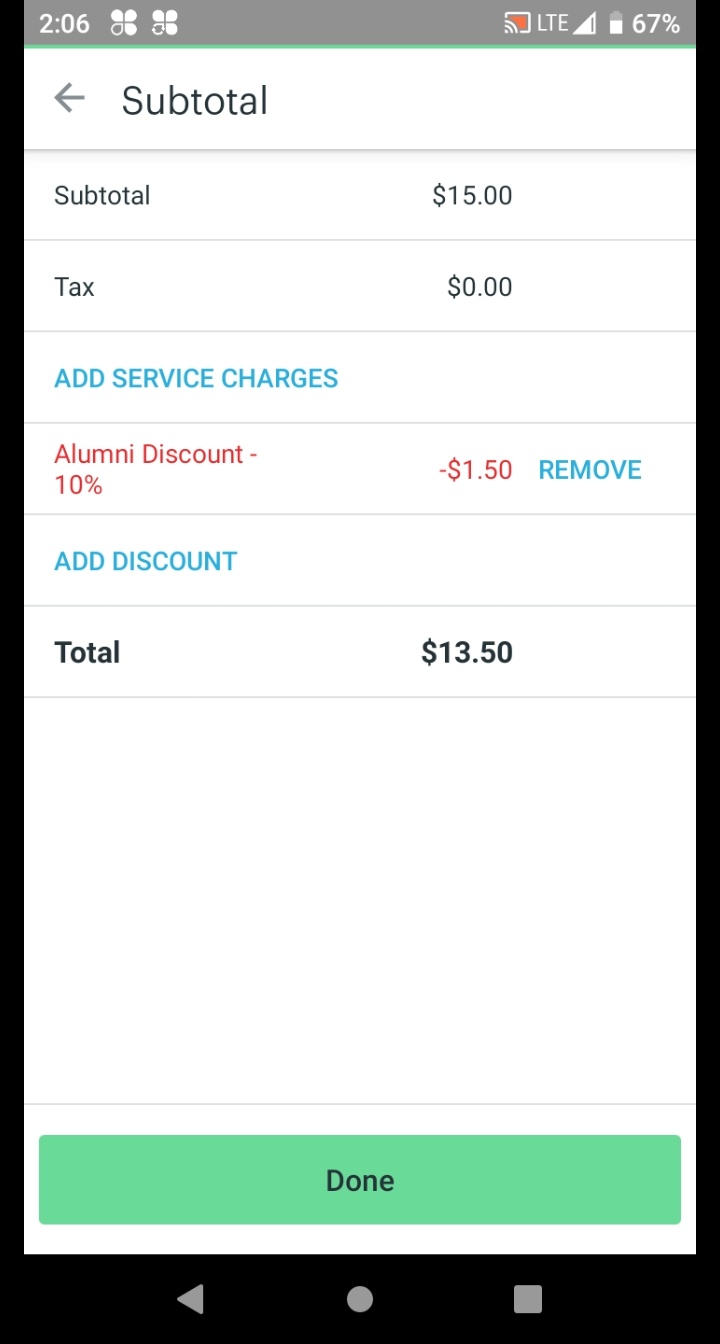
The Subtotal screen reappears showing the discount applied in red. Confirm the discount name, amount, and new Total are correct.
If incorrect: tap REMOVE next to the discount line and repeat Step 2. If correct: tap Done.
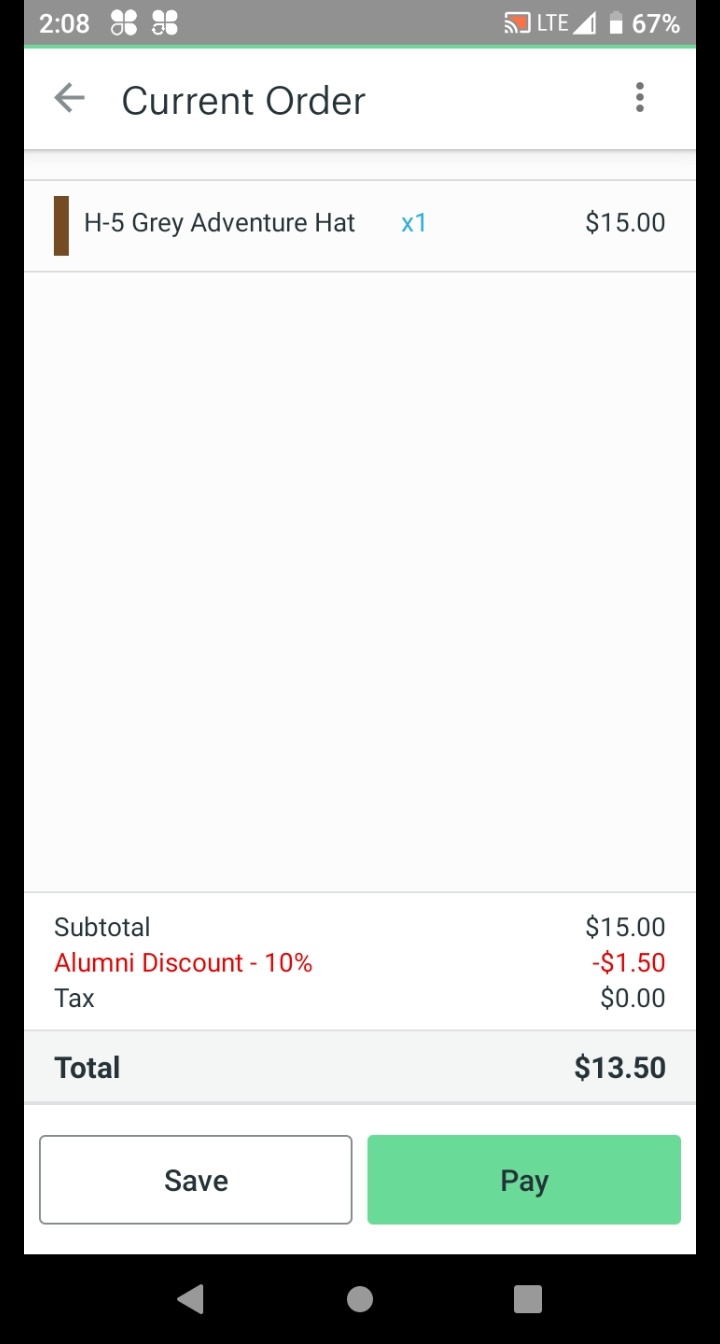
Confirm the discount line appears in red on the Current Order summary screen. The updated Total should reflect the discount.
Tap Pay to proceed to payment — returns to Step 7 of Processing a Sale.
Did you branch here from a live sale?
Fall — All associates
Crown Admin rule: anything that leaves the booth goes through the register. Use this whenever an item is removed from sellable inventory — no customer, no money, just a $0.00 log.
Open the Register app and find the item and size the same way you would for a normal sale. Tap to add it to the cart.
Select the exact item that is leaving inventory — this is how Clover tracks the movement.
Tap the ⋮ three-dot menu → Order Discounts → select the appropriate 100% comp code.
| Code | Use when... |
|---|---|
| CANNOT SELL | Garment is defective, stained, or misprinted |
| DISPLAY NEEDED | Garment is pulled for booth display use |
Need a refresher on applying a discount? See the Applying a Discount workflow — same ⋮ menu, same steps.
Confirm the cart total shows $0.00, tap Pay, select Cash, then tap Pay Cash and Done to complete the transaction.
The $0.00 transaction is the log entry. Crown Admin will see it in the Clover report and restock accordingly.
Fall — All associates
Same physical item — different SKU. The only difference between a regular sale and an event sale is which item you select in Clover. Get this right and inventory stays clean.
Confirm the garment is from the event bin — not from regular inventory. Pull the correct size for the customer.
Mixing inventory between bins distorts end-of-weekend reports. When in doubt, ask your Team Lead which bin to use.
Open the Register app and find the event-specific SKU — it will appear as the show or event name, not as a generic item name. Select the correct size.
Do not select the standard item SKU. The event SKU is what routes this sale to the correct inventory bucket.
Confirm the item appears correctly in the cart, then complete the sale normally — the payment process is identical to Processing a Sale from Step 5 onward.
Short reminders for shift start. Review before the day gets busy — not a step-by-step process guide, just the small things that keep everything running smoothly.
"If you enter that, it is going to say what time it was at. That is valuable information." — Crown Admin
The Register search bar is the fastest way to find items. See the full Search & Shortcuts workflow for details.
The discount codes and when to apply them are documented in the Applying a Discount workflow. The Fall section shows all available codes and their purposes — including which ones require supervisor authorization.
A QR code on the side of the t-shirt press links to a YouTube channel with how-to videos for press operation. Scan it for product-specific pressing instructions.